Install
dotnet add package Universe.HangfireCpuUsage --version 1.0.55
| Product | Versions |
|---|---|
| .NET Standard | |
| Other |
README
Universe.HangfireCpuUsage package
Hangfire's CPU usage intergration provides cpu usage info for both sync and async jobs
Minimum OS Requirements
Linux Kernel 2.6.26+, Mac OS 10.9+, Windows Vista+
Usage
Configuration example: log cpu usage to the dashboard console, and log the same to an ILogger
builder.Services.AddHangfire(configuration => configuration
    .UseInMemoryStorage()
    .UseConsole()
    .AddCpuUsageHandler((context, cpuUsage) =>
    {
        // Write to hangfire console output
        context.WriteLine($"Job took {cpuUsage}");
    })
    .AddCpuUsageHandler((context, cpuUsage) =>
    {
        // Write the same to "Type.Method" logger
        var job = context.BackgroundJob.Job;
        var category = job.Type + "." + job.Method.Name;
        var logger = loggerFactory.CreateLogger(category);
        logger.LogInformation($"Arguments: {job.FormatArguments()}" +
                              Environment.NewLine +
                              $"Job took {cpuUsage}");
    })
);
Take for for instance 3 jobs with the above configuration
public async Task MultiThreadCpuStress(int threadsCount, int requiredCpuUsage) { … }
public async Task CpuStress(int requiredCpuUsage) { … }
public async Task Sleep(int duration) { … }
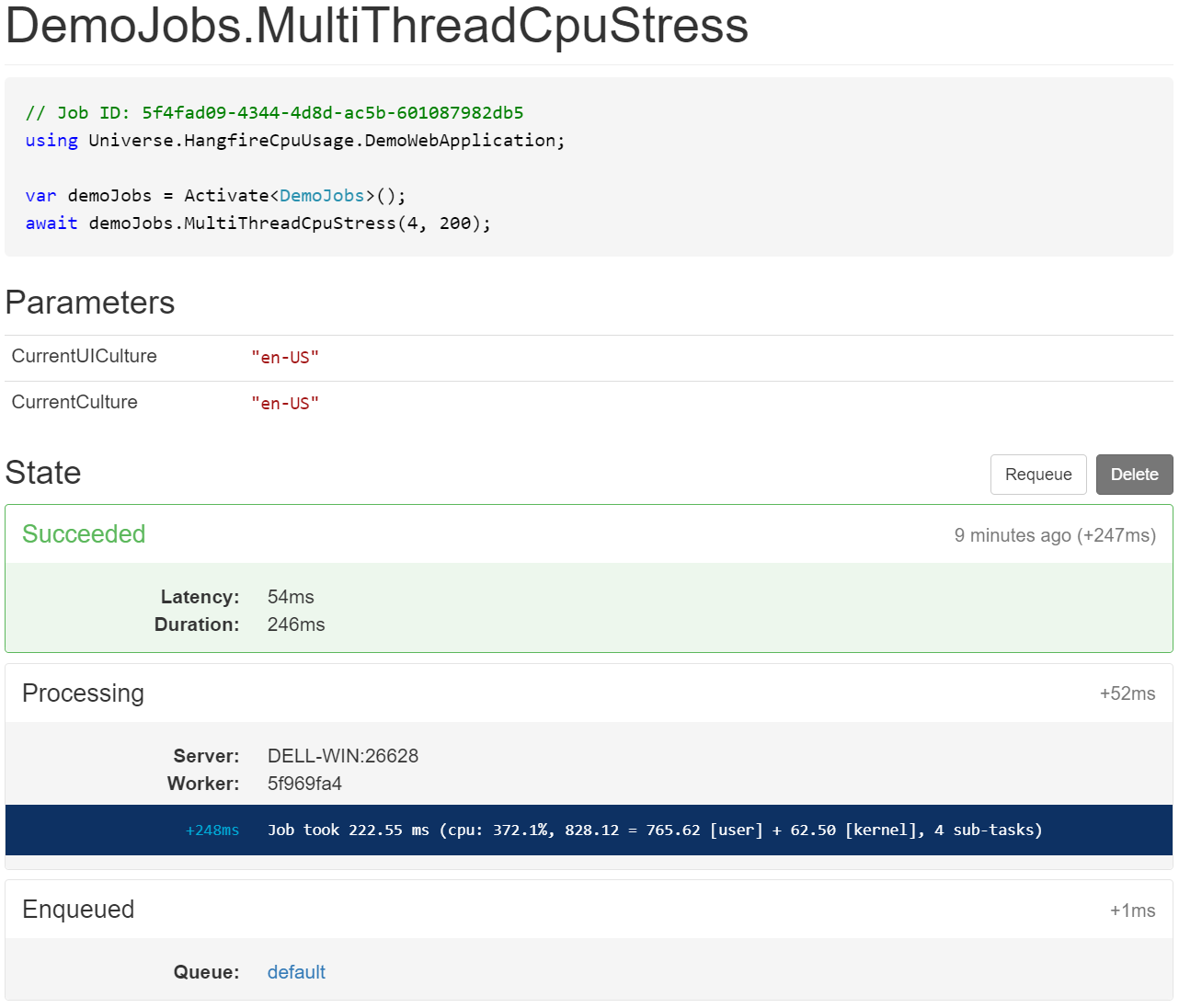
Logger output and Dashboard screenshot are:
info: Universe.HangfireCpuUsage.DemoWebApplication.MyJobs.MultiThreadCpuStress[0]
      Arguments: MultiThreadCpuStress(threadsCount = 4, requiredCpuUsage = 200)
      Job took 222.55 ms (cpu: 372.1%, 828.12 = 765.62 [user] + 62.50 [kernel], 4 sub-tasks)
info: Universe.HangfireCpuUsage.DemoWebApplication.MyJobs.CpuStress[0]
      Arguments: CpuStress(requiredCpuUsage = 400)
      Job took 414.29 ms (cpu: 98.1%, 406.25 = 328.12 [user] + 78.12 [kernel], 1 sub-task)
info: Universe.HangfireCpuUsage.DemoWebApplication.MyJobs.Sleep[0]
      Arguments: Sleep(duration = 600)
      Job took 606.12 ms (cpu: 0.0%, 0.00 = 0.00 [user] + 0.00 [kernel], 2 sub-tasks)
Changes from Previous Version
No structural changes between v1.0.54 and v1.0.55.
Adoption Assessment
Assess this package against its supported frameworks, license, maintenance signals and dependency graph before making it a project standard.
Compatibility metadata lists 3 target frameworks; confirm the exact target used by your application.
Related Guides & Workflows
Learn how to evaluate, integrate, or audit this package in your .NET project.