Iot.Device.Tcs3472x assembly for .NET nanoFramework C# projects
Install
No framework information available.
README
TCS3472x Sensors
TCS3472x sensors are color I2C sensors.
Documentation
Device Family contains TCS34721, TCS34723, TCS34725 and TCS34727.
- TCS3472x datasheet
You will find this device as "RGB Color Sensor with IR filter and White LED - TCS34725"
Note: TCS34721 and TCS34723 have a default I2C address which is 0x39 while TCS34725 and TCS34727 have 0x29.
Board
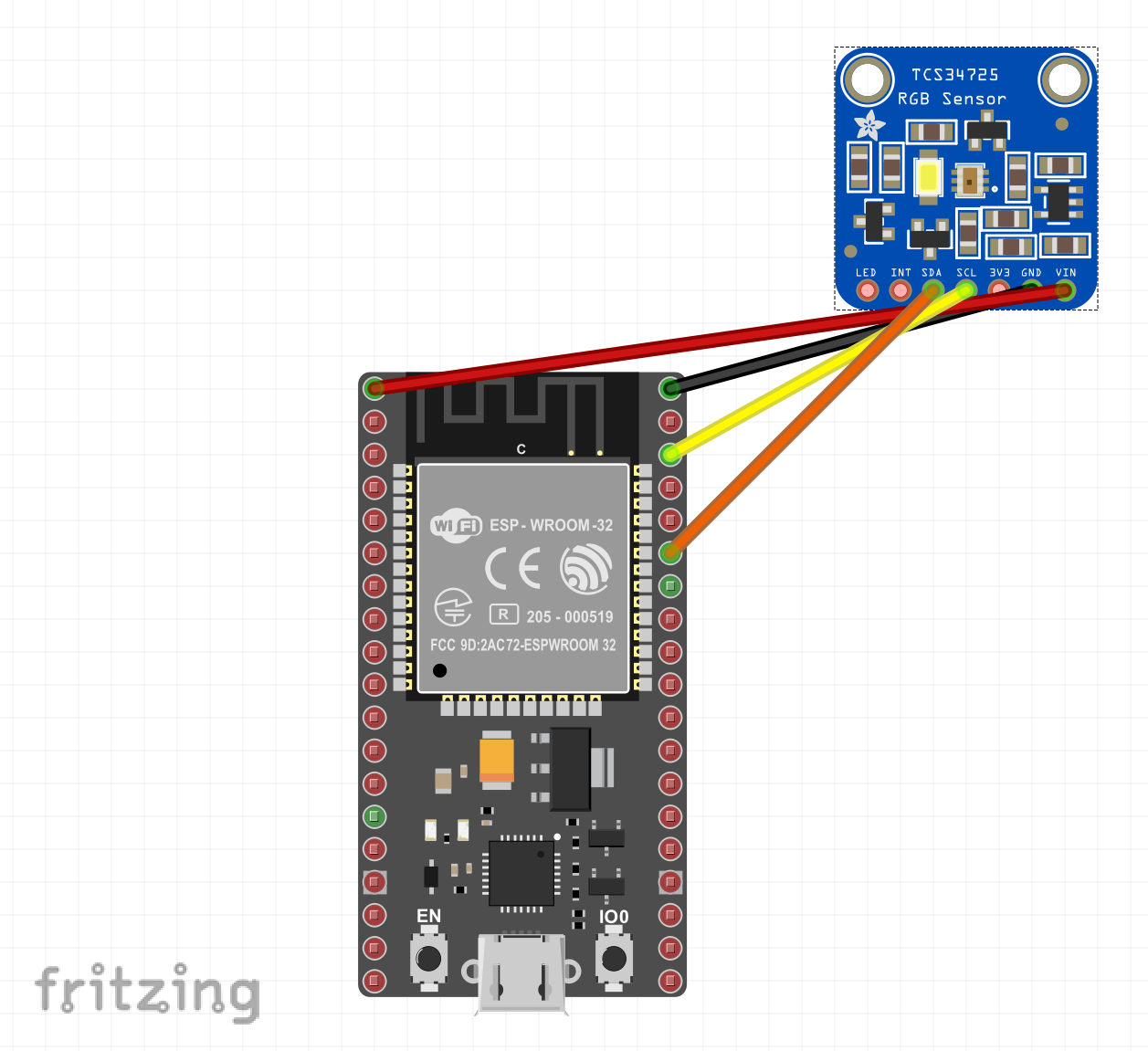
Usage
Create a Tcs3472xSensor class and pass the I2C device. Please see above for the default address depending on the chip you are using. The default one provided in the class is for the most popular ones so TCS34725 and TCS34727.
var i2cSettings = new I2cConnectionSettings(1, Tcs3472xSensor.DefaultAddress);
I2cDevice i2cDevice = I2cDevice.Create(i2cSettings);
Tcs3472xSensor tcs3472X = new Tcs3472xSensor(i2cDevice);
while(!Console.KeyAvailable)
{
    Console.WriteLine($"ID: {tcs3472X.ChipId} Gain: {tcs3472X.Gain} Time to wait: {tcs3472X.IntegrationTime}");
    var col = tcs3472X.GetColor();
    Console.WriteLine($"R: {col.R} G: {col.G} B: {col.B} A: {col.A} Color: {col.Name}");
    Console.WriteLine($"Valid data: {tcs3472X.IsValidData} Clear Interrupt: {tcs3472X.IsClearInterrupt}");
    Thread.Sleep(1000);
}
You can as well adjust the time for integration, so the time needed to read the data either in the constructor either later one. Minimum time is 0.0024 seconds and maximum time is 7.4 seconds. This is not a linear function and it will be set to the closest lower value supported by the chip.
when calling tcs3472X.GetColor() you get a Color type with RGB as the normal RGB. A contains the Clear value of the sensor.
Changes from Previous Version
Adoption Assessment
A verified publisher signal is available. Assess fit from the package's supported frameworks, license and dependency graph rather than popularity alone.
Related Guides & Workflows
Learn how to evaluate, integrate, or audit this package in your .NET project.