Install
| Product | Versions |
|---|---|
| .NET |
README
Provides a command-line interface for the WhatsApp library and its backend functions. This allows you to interact with your WhatsApp pipeline without having to set up your WhatsApp for Business app for local development.
The backend functions are only enabled if the hosting environment is set to Development so that
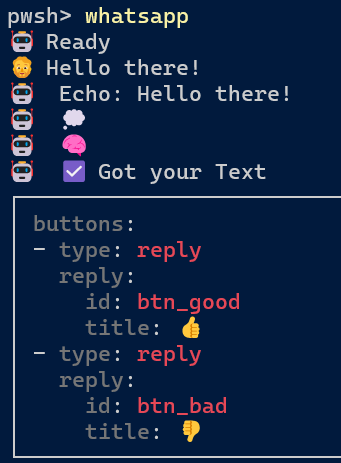
in production, the CLI endpoint is not available. Example with text format:
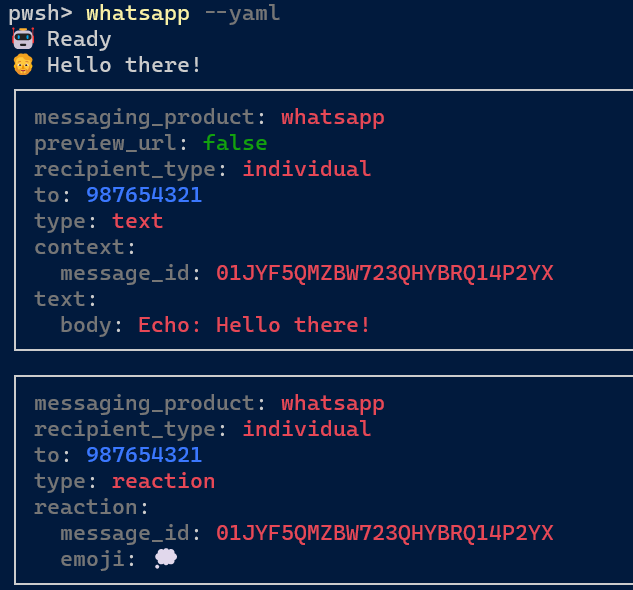
Yaml format:
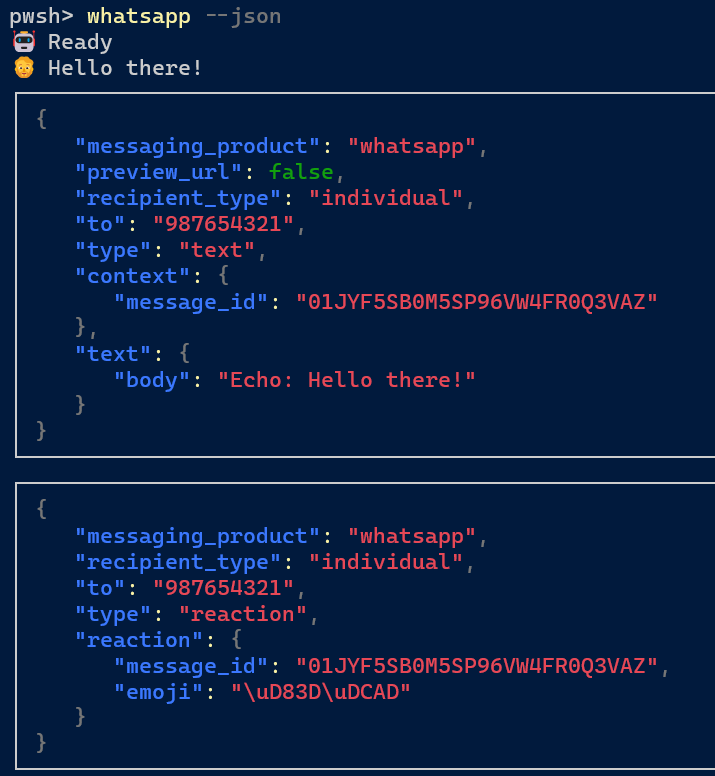
JSON format:
The console will automatically remember the last used WhatsApp endpoint, output format and simulated user phone number.
Usage: whatsapp [OPTIONS]+
Options:
  -u, --url                  WhatsApp functions endpoint
  -n, --number=VALUE         Your WhatsApp user phone number
  -j, --json                 Format output as JSON
  -t, --text                 Format output as text
  -y, --yaml                 Format output as YAML
  -?, -h, --help             Display this help.
  -v, --version              Render tool version and updates.
to render the responses since it provides a more readable format than JSON.
For non-text messages, the CLI falls short since you cannot attach files or images. For these
cases, you can continue to send messages via WhatsApp, but get the responses also in the CLI.
This works by inspecting messages in the current conversation (so it depends on UseConversation)
and detecting if any messages were sent by the CLI. If that is the case, non-console messages
will generate responses for the CLI as well:
builder.Services.AddWhatsApp<MyWhatsAppHandler>()
    .UseOpenTelemetry(builder.Environment.ApplicationName)
    .UseConversation()
    .UseConsole() // 👈 Enable CLI support for WhatsApp-originated messages
UseConsolewill only be added to the pipeline if the hosting environment is set toDevelopment, so it's not necessary to check for that in your code. This is to ensure that the CLI behaviors never impact production environments.
Sponsors



Adoption Assessment
Assess this package against its supported frameworks, license, maintenance signals and dependency graph before making it a project standard.
Related Guides & Workflows
Learn how to evaluate, integrate, or audit this package in your .NET project.