Install
No framework information available.
README
curb

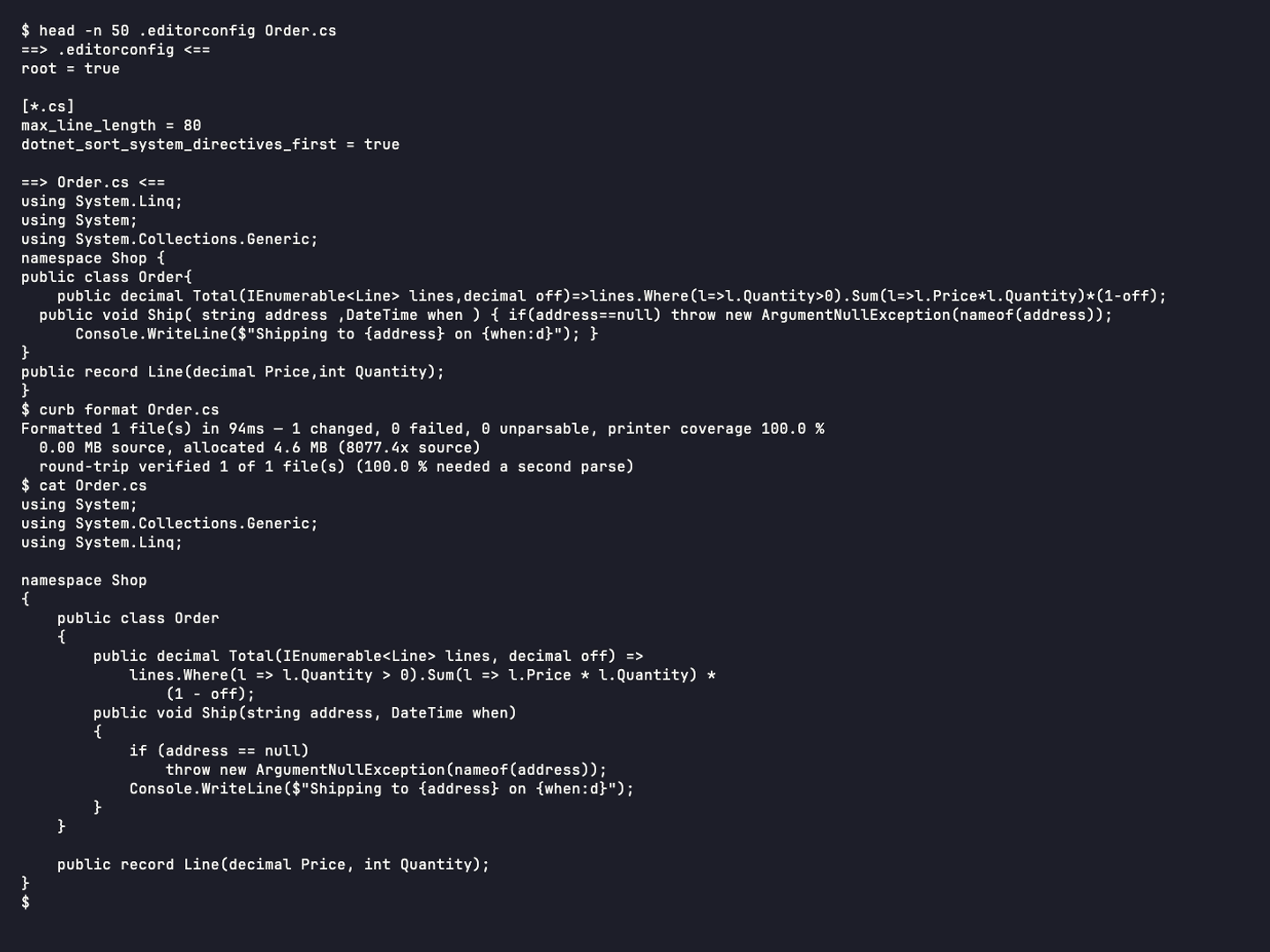
Curb for MSBuild: formats your C# from your .editorconfig before the compiler runs, on every dotnet build, so
EnforceCodeStyleInBuild only reports what a formatter cannot fix.

Install
dotnet add package curb
It is a development dependency, so it does not flow to the projects and packages that reference yours. By hand:
<PackageReference Include="curb" Version="*" PrivateAssets="all" />
Quick start
Build as usual:
dotnet build                 # Debug: rewrites unformatted files before CoreCompile
dotnet build -c Release      # Release: checks only; an unformatted file fails the build with CURB0001
Curb reads the same .editorconfig keys Visual Studio, Rider and dotnet format do, all 39 of
IDE0055, with Roslyn's defaults.
Add max_line_length to opt into reflow:
[*.cs]
max_line_length = 120
On later builds the target skips unchanged projects entirely, and in a project with changes only the files that changed are reformatted.
| Property | Default | What it does |
|---|---|---|
Curb_Check |
true in Release, else false |
Check instead of rewriting. |
Curb_Bypass |
false |
Skip Curb entirely. |
Curb_UnformattedAsWarnings |
false |
Report CURB0001 as a warning instead of an error. |
Curb_Exe |
unset | Path to a native Curb binary, much faster to start than the bundled framework-dependent build. |
Curb_FSharp |
true |
Format F# projects through the Fantomas their tool manifest pins. |
Learn more
- Documentation: https://curb.nullean.net, and the full property list in MSBuild integration
- The CLI for pre-commit hooks, CI and scripting: curb-cli
- Source and issues: https://github.com/nullean/curb
Changes from Previous Version
Adoption Assessment
Assess this package against its supported frameworks, license, maintenance signals and dependency graph before making it a project standard.
Related Guides & Workflows
Learn how to evaluate, integrate, or audit this package in your .NET project.