Install
No framework information available.
README
Clean bin/obj recursively
What you would expect dotnet clean to do, but it doesn't :)
Recursively deletes bin and obj directories. Optionally also cleans node_modules (--node) and hidden directories (--dotted).
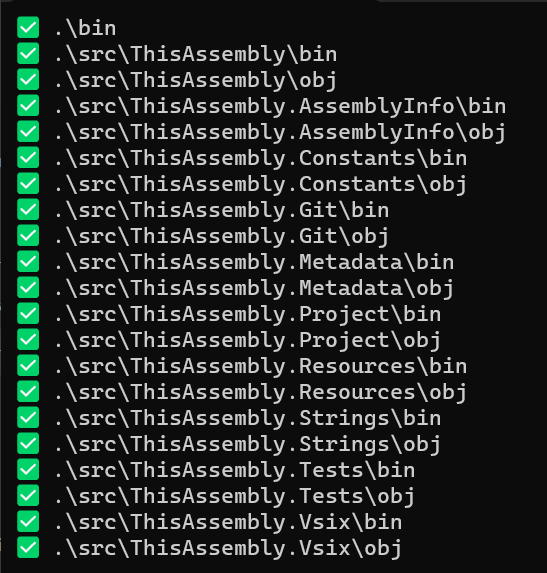
Usage
# Clean bin/obj from the current directory
cleanr

# Preview what would be deleted
cleanr --dry-run

# Start from a specific directory
cleanr ./src

# Also delete node_modules
cleanr --node

# Also recurse into hidden directories
cleanr --dotted
Arguments
| Argument | Description |
|---|---|
dir |
Optional directory to start the clean. Defaults to the current directory. |
--dry-run |
List directories but don't actually delete them. |
--node |
Also clean node_modules directories. |
--dotted |
Also clean inside hidden directories. |
Source-based distribution
First-run:
dnx runfile kzu/run:clean.cs --alias clean
Use specific SHA, branch or tag to pin version (i.e. kzu/run@main:clean.cs or kzu/run@asdf01234:clean.cs) Use whichever alias you want to avoid entering the full ref (or don't specify an alias at all and run with the ref each time).
Subsequent runs:
dnx runfile clean [args]
See runfile for additional source-based options.
Package-based distribution
Fastest path (native AOT, no .NET runtime or SDK required): ndx
# Windows
irm https://github.com/devlooped/ndx/releases/latest/download/install.ps1 | iex

# macOS / Linux
curl -fsSL https://github.com/devlooped/ndx/releases/latest/download/install.sh | sh
Then:
ndx cleanr [args]
Run with the .NET SDK (uses latest version from NuGet):
dnx cleanr [args]
Install globally:
dotnet tool install -g cleanr
Then run with cleanr [args].
Adoption Assessment
Assess this package against its supported frameworks, license, maintenance signals and dependency graph before making it a project standard.
Related Guides & Workflows
Learn how to evaluate, integrate, or audit this package in your .NET project.