Install
| Product | Versions |
|---|---|
| .NET |
README
ActiveCampaign Forms for Umbraco CMS
This integration provides a form picker to fetch your favorite ActiveCampaign forms and use them on your Umbraco webpage to e.g. collect information from leads and grow your contact database!
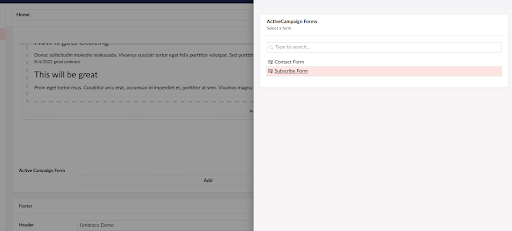
To start using the integration, you will need to create a new data type using the ActiveCampaign Form Picker property editor, then add it to your desired content type.
If the API configuration is valid, your ActiveCampaign form resources will be accessible by sending the API Key with the Api-Token header on each request.
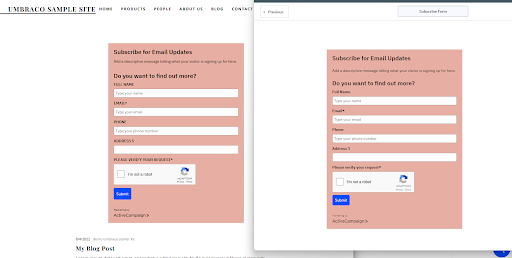
The form will be rendered into your Umbraco page following the exact design you’ve added from the ActiveCampaign Form Designer component.
Depending on the customization level of your ActiveCampaign account, there are different methods to integrate and render the forms. This embed code uses JavaScript and any changes you make to your form will appear in your rendered form in real time. Another option would be to use full embed code, a variant available for inline forms only, that uses CSS and HTML. This means that any changes you make to your ActiveCampaign form will not show up on your rendered form, you will need to re-paste the form code.
For front-end rendering, a strongly typed model will be generated by the property value converter, and using the HTML helper available, you will be able to render the form easily.
Want to know more about this integration?
If you want to see the details on how the integration to ActiveCampaign Forms is made or just follow the example of extending Umbraco with a third-party system you can take a look at the blog post supplementing this integration.
Changes from Previous Version
Adoption Assessment
A verified publisher signal is available. Assess fit from the package's supported frameworks, license and dependency graph rather than popularity alone.
Related Guides & Workflows
Learn how to evaluate, integrate, or audit this package in your .NET project.