Install
No framework information available.
README
Blazor WebAssembly App (client-side) Minimum Project Templates 
Summary
This is project templates package for ASP.NET Core "Blazor WebAssembly App" (a.k.a "client-side Blazor") without JavaScript and CSS libraries, designed for dotnet CLI.
Blazor WebAssembly (client-side Blazor) is a .NET web framework using C# and HTML that runs in the browser. Learn More...
The Blazor WebAssembly application project, which is created by this template, contains only the minimum necessary files, like this.

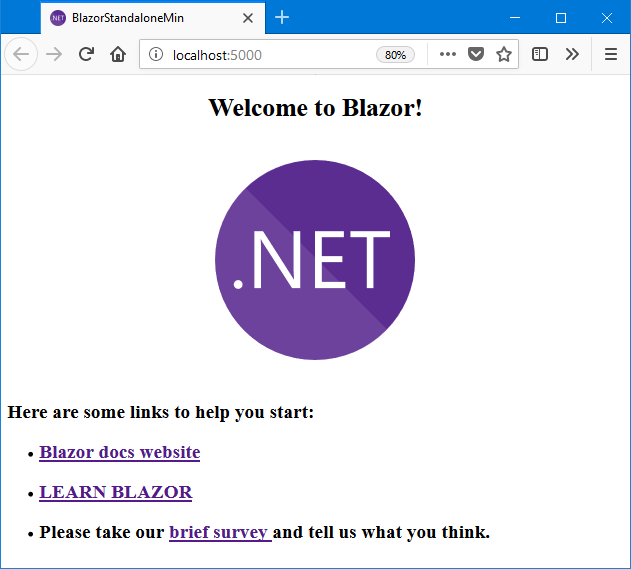
When you run this project, the following page will be displayed in a web browser.
System requirement
How to install
> dotnet new -i Toolbelt.AspNetCore.Blazor.Minimum.Templates::5.0.6
How to use
If you want to create a new Blazor WebAssembly application project which standalone edition, type dotnet new command with a short name of the template "blazorwasmmin".
> dotnet new blazorwasmmin
If you want a ASP.NET Core hosted edition, use a short name of the template "blazorwasmhostedmin".
> dotnet new blazorwasmhostedmin
These commands create a new project in current directory, and the project name is same as the current directory name.
See also: "dotnet new command - .NET Core CLI" | Microsoft Docs
Visual Studio Code support
The project files contain "build" & "launch" task configuration for Visual Studio Code.
Therefore, enter the "dotnet new blazorwasmmin" command on the terminal, and after you open the workspace by Visual Studio Code, you can execute "Start Without Debugging" (Ctrl + F5) task immediately.
Appendix: Upgrading guide to the newer version of Blazor
Upgrade .NET 5 Release Candidat 1 to .NET 5 Release Candidate 2
See also: ASP.NET Core updates in .NET 5 Release Candidate 2
Upgrade .NET 5 Preview 8 to .NET 5 Release Candidate 1
See also: ASP.NET Core updates in .NET 5 Release Candidate 1
Upgrade Blazor 3.2 to .NET 5 Preview 8
See also: ASP.NET Core updates in .NET 5 Preview 8
License
Changes from Previous Version
Adoption Assessment
Assess this package against its supported frameworks, license, maintenance signals and dependency graph before making it a project standard.
Related Guides & Workflows
Learn how to evaluate, integrate, or audit this package in your .NET project.