This package provides the functionality to utilize the features of Syncfusion® .NET Maui Cards control and more.
Install
| Product | Versions |
|---|---|
| .NET |
README
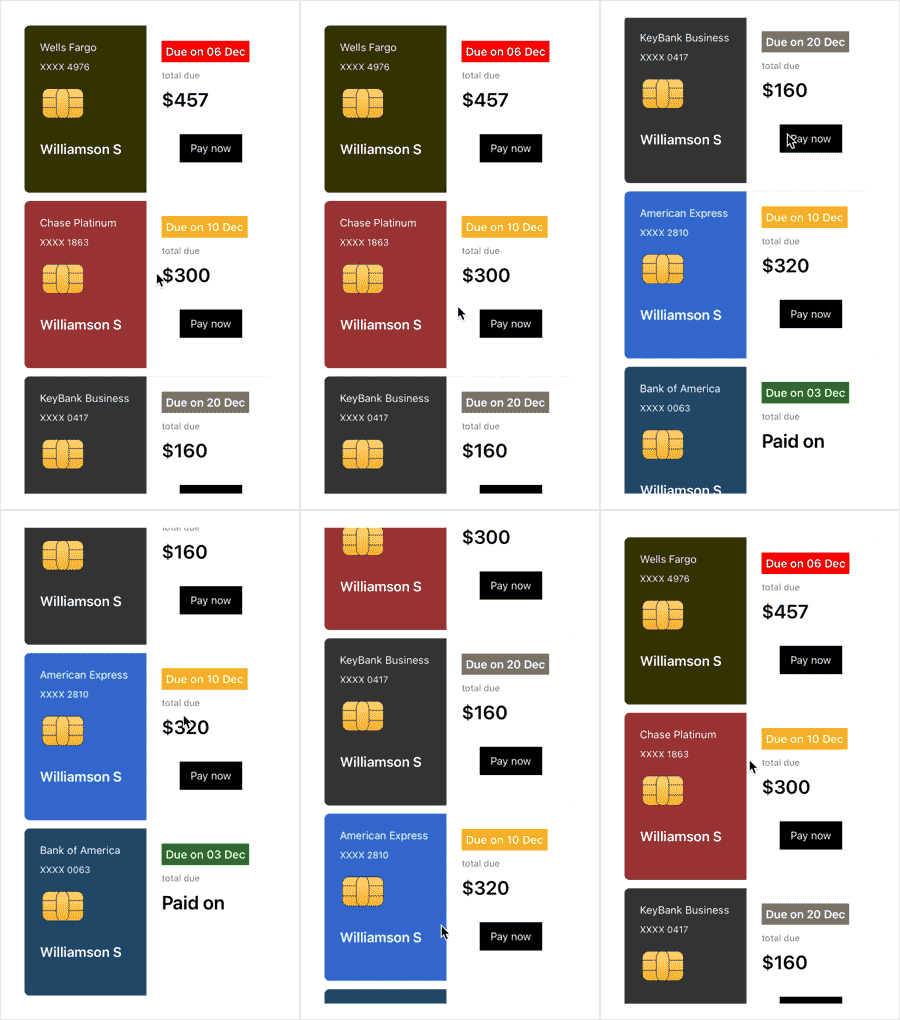
The Syncfusion.Maui.Cards package contains the Syncfusion Cards component for .NET MAUI application. The Syncfusion .NET MAUI Cards component is used to create dismissible cards or a stack of cards.
Prerequisites
Integrated Development Environment
By using the following IDEs, you can develop .NET MAUI applications
Framework & SDK
The below tool is required to run the .NET MAUI application.
- .NET 8.0 SDK
- Android 5.0 (API 21) or higher.
- iOS 10 or higher.
- macOS 10.13 or higher.
- Windows desktop and the Universal Windows Platform (UWP), using Windows UI Library (WinUI) 3.
Key Features
- Can create dismissible cards.
- Can dismiss cards in the left and right directions.
- Can customize the background, border width, border color, corner radius, indicator thickness, and indicator position.
- Can restrict the dismissal of the card.
- Can create a stack of cards.
- Can dismiss and retrieve the card in the left, right, top, and bottom directions.
- Can show the swiped card.
Overview
The Syncfusion .NET MAUI Cards control allows users to create dismissible cards or a stack of cards. It also organize a sequence of cards where only one card is visible at a time. It also easily navigate through the stack by swiping to reveal the next card in the sequence.
Features Overview | Docs | Online Demo | Support | Forums | Feedback
Getting Started
To initialize the Cards control add the below code to your xaml file.
<?xml version="1.0" encoding="utf-8" ?>
<ContentPage x:Class="CardsMauiSample.GettingStarted"
             xmlns="http://schemas.microsoft.com/dotnet/2021/maui"
             xmlns:x="http://schemas.microsoft.com/winfx/2009/xaml"
             xmlns:cards="http://schemas.syncfusion.com/maui"
             BackgroundColor="White">
    <ContentPage.Content>
        <cards:SfCards />
    </ContentPage.Content>
</ContentPage>
License
This is a commercial product and requires a paid license for possession or use. Syncfusion’s licensed software, including this component, is subject to the terms and conditions of Syncfusion's EULA. You can purchase a license here or start a free 30-day trial here.
About Syncfusion
Founded in 2001 and headquartered in Research Triangle Park, N.C., Syncfusion has more than 26,000+ customers and more than 1 million users, including large financial institutions, Fortune 500 companies, and global IT consultancies.
Today, we provide 1600+ components and frameworks for web (Blazor, ASP.NET Core, ASP.NET MVC, ASP.NET WebForms, JavaScript, Angular, React, Vue, and Flutter), mobile (.NET MAUI, Xamarin, Flutter, UWP, and JavaScript), and desktop development (WinForms, WPF, WinUI, Flutter and UWP). We provide ready-to-deploy enterprise software for dashboards, reports, data integration, and big data processing. Many customers have saved millions in licensing fees by deploying our software.
[email protected] | www.syncfusion.com | Toll Free: 1-888-9 DOTNET
Changes from Previous Version
Adoption Assessment
A verified publisher signal is available. Assess fit from the package's supported frameworks, license and dependency graph rather than popularity alone.
Related Guides & Workflows
Learn how to evaluate, integrate, or audit this package in your .NET project.