This package provides the functionality to utilize the features of Syncfusion® WinForms Radial gauage, Linear Gauage, and Digital Gauage.
Install
| Product | Versions |
|---|---|
| .NET | |
| Other |
README
Syncfusion® WinForms Gauge Components
This package contains WinForms Digital Gauge, WinForms Linear Gauge, and WinForms Radial Gauge components for WinForms application.
Using this package with an AI coding agent
Before generating Syncfusion code, ask your AI coding agent to run the Syncfusion setup using the following prompt:
Set up this project for Syncfusion before generating code. Fetch and follow the official instructions at https://ai.syncfusion.com, then report the detected platform, installed skill pack, MCP status, and any required licensing action.The setup detects your project’s platform and loads the appropriate Syncfusion skill pack. No Syncfusion account or MCP key is required to install or read Syncfusion agent skills.
Platform reference: https://ai.syncfusion.com/winforms/llms.txt
System Requirements
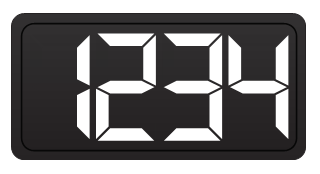
Digital Gauge
The Syncfusion® WinForms Digital Gauge is data visualization control used to display alphanumeric characters in digital mode. Supports segment spacing, different segment styles, displayed character style can be customized based on user need. The appearance of the gauge can be fully customized to seamlessly integrate with your applications.
Features Overview | Docs | Online Demo | Support | Forums | Feedback
Getting Started
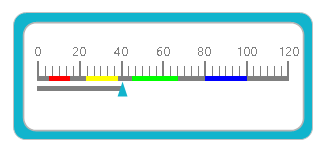
Linear Gauge
The Syncfusion® WinForms Linear Gauge component helps to visualize numerical values on a linear scale. Supports scales, pointers, ranges, minimum and maximum range, and allows to highlight the different ranges based on user needs. The appearance of the gauge can be fully customized to seamlessly integrate with your applications.
Features Overview | Docs | Online Demo | Support | Forums | Feedback
Getting Started
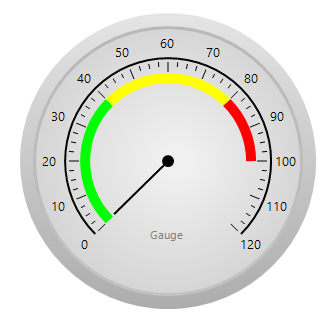
Radial Gauge
The Syncfusion® WinForms Radial or Circular Gauge helps to visualize numerical values on a circular scale. The appearance of the gauge can be fully customized to seamlessly integrate with your applications. Supports specifying the display range and changing the number of intermediate ticks on the gauge that shows values.
Features Overview | Docs | Online Demo | Support | Forums | Feedback
Getting Started
License
This is a commercial product and requires a paid license for possession or use. Syncfusion® licensed software, including this component, is subject to the terms and conditions of Syncfusion® EULA. You can purchase a license here or start a free 30-day trial here.
About Syncfusion®
Founded in 2001 and headquartered in Research Triangle Park, N.C., Syncfusion® has more than 29,000 customers and more than 1 million users, including large financial institutions, Fortune 500 companies, and global IT consultancies.
Today, we provide 1800+ components and frameworks for web (Blazor, Flutter, ASP.NET Core, ASP.NET MVC, ASP.NET Web Forms, JavaScript, Angular, React, Vue, and jQuery), mobile (.NET MAUI, Flutter, Xamarin, UWP, and JavaScript), and desktop development (WinForms, WPF, WinUI, .NET MAUI, Flutter, Xamarin, and UWP). We provide ready-to-deploy enterprise software for dashboards, reports, data integration, and big data processing. Many customers have saved millions in licensing fees by deploying our software.
[email protected] | www.syncfusion.com | Toll Free: 1-888-9 DOTNET
Changes from Previous Version
Adoption Assessment
A verified publisher signal is available. Assess fit from the package's supported frameworks, license and dependency graph rather than popularity alone.
Related Guides & Workflows
Learn how to evaluate, integrate, or audit this package in your .NET project.