This package provides the functionality to utilize the features of Syncfusion® WPF Syntax Editor and more.
Install
| Product | Versions |
|---|---|
| .NET | |
| Other |
README
Syncfusion® WPF Syntax Editor
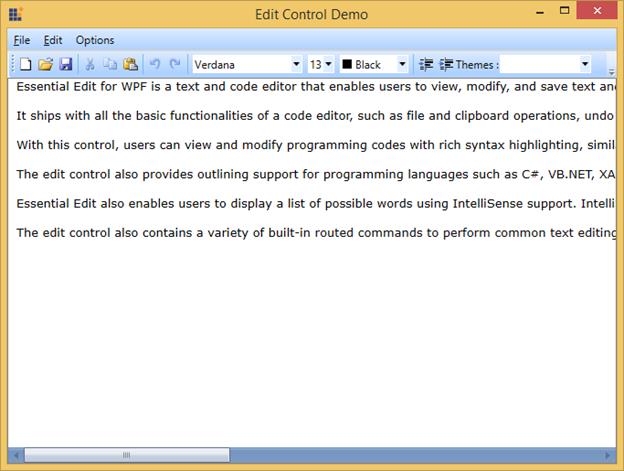
The Syncfusion® WPF Syntax Editor is a powerful text editor control similar to the Microsoft Visual Studio editor. It provides built-in syntax highlighting and code editing experience for popular languages, and allows users to create custom syntax highlighting of keywords and operators of their own language. It offers all the essential features end users expect, like syntax highlighting, editing, undo, redo, cut, copy, paste, IntelliSense, line numbering, highlighting modified lines, custom language configuration, and more.
Features Overview | Docs | Online Demo | Support | Forums | Feedback
System Requirements
Getting Started
License
This is a commercial product and requires a paid license for possession or use. Syncfusion® licensed software, including this component, is subject to the terms and conditions of Syncfusion® EULA. You can purchase a license here or start a free 30-day trial here.
About Syncfusion®
Founded in 2001 and headquartered in Research Triangle Park, N.C., Syncfusion® has more than 29,000 customers and more than 1 million users, including large financial institutions, Fortune 500 companies, and global IT consultancies.
Today, we provide 1800+ components and frameworks for web (Blazor, Flutter, ASP.NET Core, ASP.NET MVC, ASP.NET Web Forms, JavaScript, Angular, React, Vue, and jQuery), mobile (.NET MAUI, Flutter, Xamarin, UWP, and JavaScript), and desktop development (WinForms, WPF, WinUI, .NET MAUI, Flutter, Xamarin, and UWP). We provide ready-to-deploy enterprise software for dashboards, reports, data integration, and big data processing. Many customers have saved millions in licensing fees by deploying our software.
[email protected] | www.syncfusion.com | Toll Free: 1-888-9 DOTNET
Changes from Previous Version
Adoption Assessment
A verified publisher signal is available. Assess fit from the package's supported frameworks, license and dependency graph rather than popularity alone.
Related Guides & Workflows
Learn how to evaluate, integrate, or audit this package in your .NET project.