Serilog.Sinks.EventLog
Serilog event sink that writes to the Windows Event Log.
Install
| Product | Versions |
|---|---|
| .NET | |
| .NET Standard | |
| Other |
README
Serilog.Sinks.EventLog

A Serilog sink that writes events to the Windows Event Log.
Important: version 3.0 of this sink changed the default value of manageEventSource from true to false. Applications that run with administrative privileges, and that can therefore create event sources on-the-fly, can opt in by providing manageEventSource: true as a configuration option.
Getting started
First, install the package from NuGet:
dotnet add package Serilog.Sinks.EventLog
The sink is configured by calling WriteTo.EventLog() on the LoggerConfiguration:
Log.Logger = new LoggerConfiguration()
    .WriteTo.EventLog("Sample App", manageEventSource: true)
    .CreateLogger();

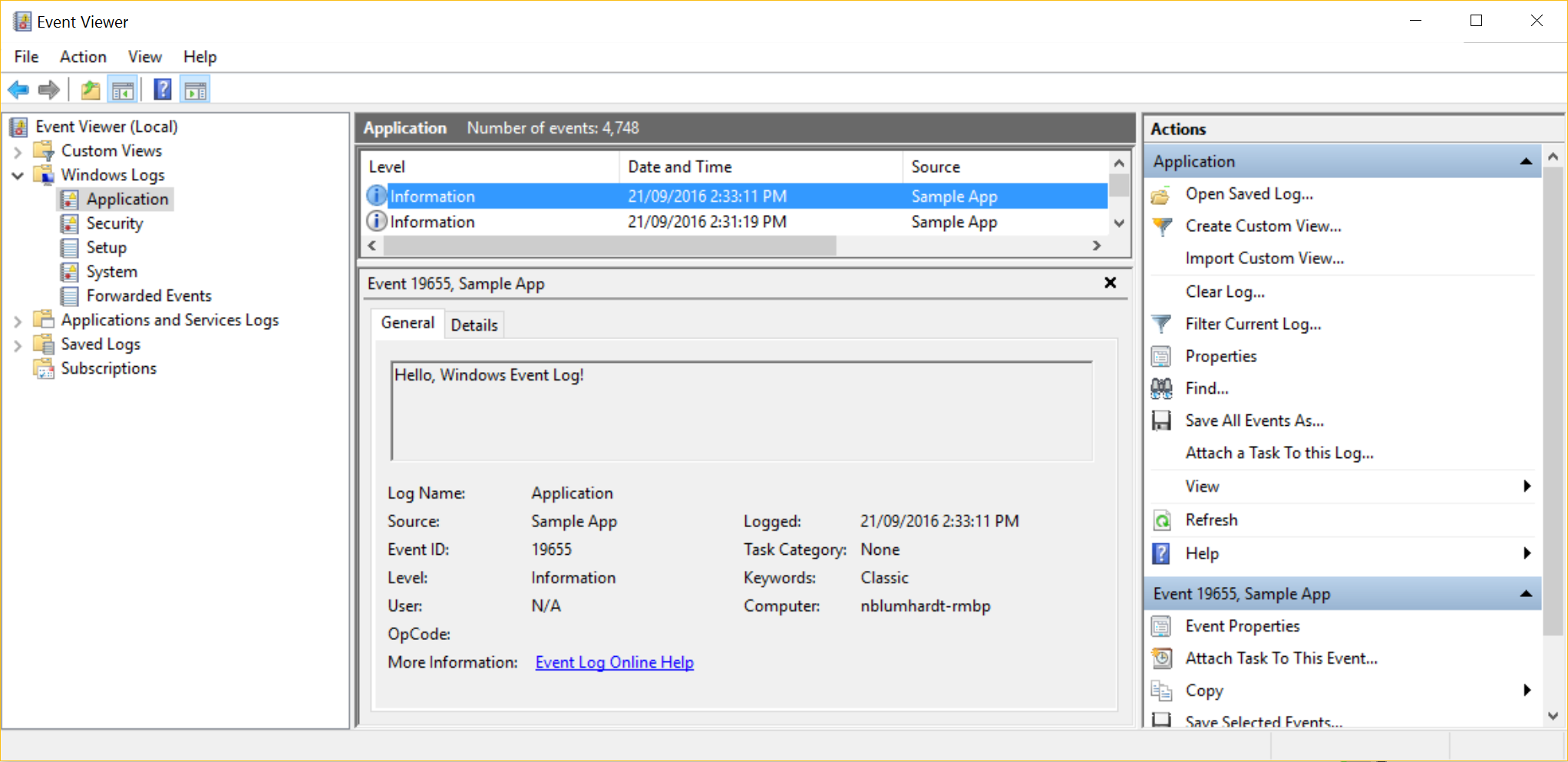
Log.Information("Hello, Windows Event Log!");

Log.CloseAndFlush();
Events will appear under the Application log with the specified source name:
Changes from Previous Version
Adoption Assessment
A verified publisher signal is available. Assess fit from the package's supported frameworks, license and dependency graph rather than popularity alone.
Related Guides & Workflows
Learn how to evaluate, integrate, or audit this package in your .NET project.