IronPDF helps C# Software Engineers to create, edit and extract PDF content in .NET projects. # C# HTML to PDF for .NET 9, .NET 8, .NET 7, .NET 6, .NET 5, Core, Standard, and Framework # Work with PDFs in C# using HTML, MVC, ASPX, and images # Generate, Edit, Read and Secure PDF Documents Generate PDFs with Pixel Perfect Chrome HTML to PDF Rendering: The IronPDF library takes the frustration out of generating PDF documents by not relying on proprietary APIs. “Html-To-Pdf” renders pixel-perfect PDFs from open standard document types: HTML, JS, CSS, JPG, PNG, GIF, and SVG. In short, it uses the skills that developers already possess. Fully Supports: * .NET 9, .NET 8, .NET 7, .NET 6, .NET 5, Framework, Core, and Standard * Windows, macOS, Linux, Azure, Docker and AWS For code examples, tutorials and documentation visit https://ironpdf.com/
Install
| Product | Versions |
|---|---|
| .NET Standard | |
| Other |
README


%20-107C10?logo=visualstudio)



IronPDF - The C# PDF Library
IronPdf is a C# library for creating, converting, editing, and securing PDFs.

IronPDF is a comprehensive C# library designed for developers to programmatically create, convert, and edit PDF documents. With a user-friendly API, you can generate PDFs from HTML, sign and secure files, edit text and content, and integrate robust PDF functionality seamlessly into your .NET projects.
Get Started in 3 Steps
1. Install the NuGet Package
PM> Install-Package IronPdf
2. Create Your First PDF
using IronPdf;

// Instantiates Chrome Renderer
var Renderer = new ChromePdfRenderer();

// Render Html contents as PDF
var pdf = Renderer.RenderHtmlAsPdf("<h1>~Hello World~</h1> Made with IronPDF!");

// Saves our PdfDocument object as a PDF
pdf.SaveAs("html_saved.pdf");
3. Explore More
Dive deeper with our extensive documentation and examples:
Tutorials: Step-by-step guides to help you build your first PDF application.
Code Examples: Practical examples of executable code for common tasks.
How-To Guides: Practical, goal-oriented instructions to solve specific problems.
Demo: Demonstrating guides that showcase how IronPDF works the way it does.
API Reference: Detailed technical descriptions of the API and its components.
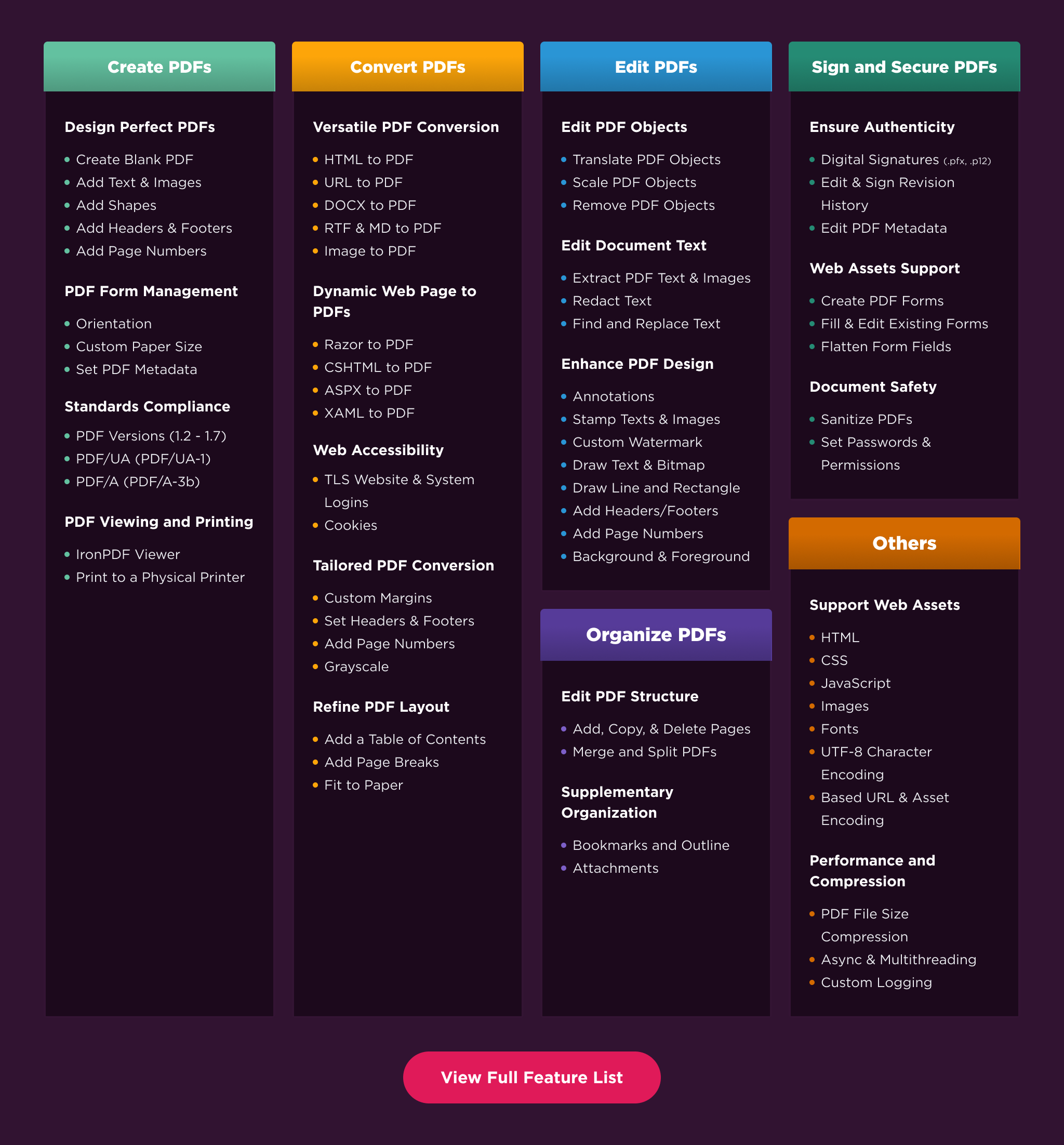
Key Features
Create PDFs: Create PDFs from scratch with a simple set of codes.
Convert PDF: Convert PDFs from HTML, images, docx, and website pages.
Edit PDFs: Modify existing PDF documents. Add text, images, watermarks, and headers/footers with ease.
Organize PDFs: Merge, split, add or remove pages, and manipulate document properties.
Sign & Secure PDFs: Add digital signatures, set passwords, and manage user permissions to protect your documents.
Compatibility
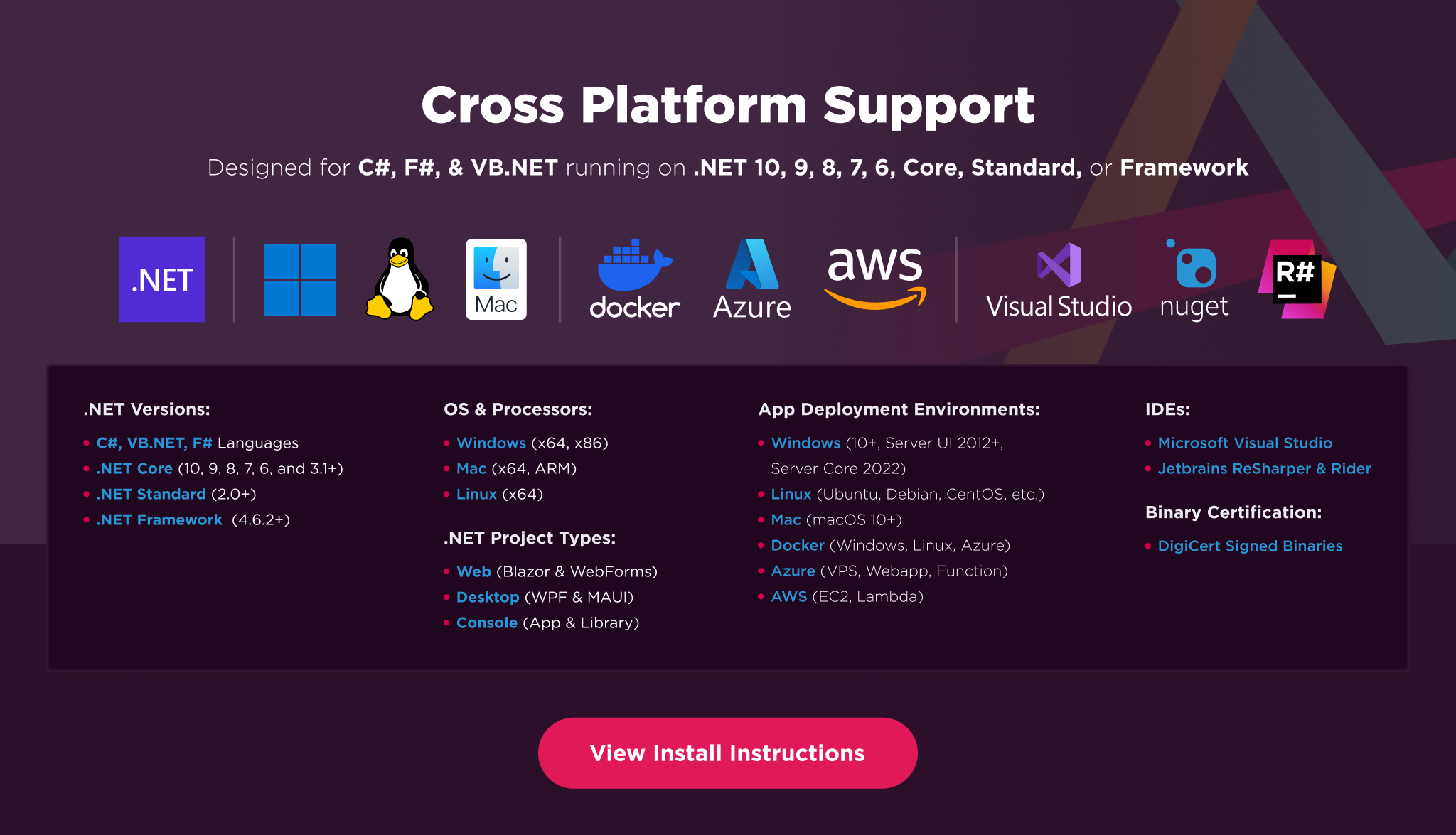
IronPDF is built for modern .NET and supports a wide range of project types and operating systems.
Platforms: .NET 10, .NET 9, .NET 8, .NET 7, .NET 6, .NET 5, Core 2x & 3x, Standard 2
Framework: .NET Framework 4.6.2 (and above)
App Models: Console, Web, and Desktop Apps, MVC, Blazor, MAUI, Razor Pages, Web Forms
Operating Systems: Windows, macOS, Linux (Debian, CentOS, Ubuntu)
IDEs: Microsoft Visual Studio or Jetbrains ReSharper & Rider
License
IronPDF is a commercially licensed product.
Trial License: Get a free developer key to evaluate the full library with no commitment. Ideal for development and testing purposes. Start your trial HERE.
Purchase a License: Unlock the library for use in commercial projects and get access to our full technical support. Purchase your license HERE.
Getting Help & Support
Have a question or running into an issue?
Email Support: Reach out to our team directly at [email protected].
Live Chat Support: https://ironpdf.com/#helpscout-support
Report a Bug: https://ironsoftware.com/ticket-submission/
Community: https://ironsoftware.com/company/iron-slack-community/
Changes from Previous Version
Adoption Assessment
A verified publisher signal is available. Assess fit from the package's supported frameworks, license and dependency graph rather than popularity alone.
Related Guides & Workflows
Learn how to evaluate, integrate, or audit this package in your .NET project.