IronPPT is a .NET library that allows you to create and manipulate PowerPoint presentations within a .NET application & websites. It provides a comprehensive API for generating slides, adding text, images, shpaes, and other multimedia elements, supporting the latest PowerPoint features. IronPPT is designed to be lightweight, fast, and reliable, making it an ideal choice for automating PowerPoint tasks in .NET applications. An easy and intuitive library to work with ppt files in C#. For code samples, docs & more visit https://ironsoftware.com/csharp/ppt/ Does not require Office Interop. Works well with .NET Framework, .NET Core and Azure. All without extra dependencies or the need to install MS Office. IronPPT works well in C#, VB.NET, MVC, ASP.NET projects for Websites, Console & Desktop apps. Works with: - .NET Core 3.1 - .NET 5 - .NET 6 - .NET 7 - .NET 8 - .NET 9 - .NET 10 - .NET Standard 2 & 2.1 - .NET Framework 4.6.2 and above - Xamarin, SharePoint, Mono - Azure, AWS, Cloud hosting - Windows, Linux, macOS, Mobile Licensing & Support available for commercial deployments. Find full documentation at: https://ironsoftware.com/csharp/ppt/ For support please contact us: [email protected]
Install
| Product | Versions |
|---|---|
| .NET Standard |
README


%20-107C10?logo=visualstudio)



IronPPT - The C# PowerPoint Library
Effortlessly create, read, and edit PowerPoint presentations in your .NET applications

IronPPT is a comprehensive C# library designed for developers to programmatically generate and manipulate PowerPoint (.pptx) files. With a user-friendly API, you can automate slide creation, add text, images, shapes, and multimedia, and integrate PowerPoint functionality seamlessly into your projects.
Get Started in 3 Steps
1. Install the NuGet Package
PM> Install-Package IronPPT
2. Create Your First Presentation
using IronPPT;

var document = new PresentationDocument();

// Instantiate a new Slide object
Slide slide = new Slide();

// Add a text to the new slide
slide.AddText("Hello, World from IronPPT!");

// Add the slide to the presentation
document.AddSlide(slide);

document.Save("AddSlideWithTexts.pptx");
3. Explore More
Dive deeper with our extensive documentation and examples:
Tutorials: Step-by-step guides to help you build your first PowerPoint application.
Code Examples: Practical examples of executable code for common tasks.
How-To Guides: Practical, goal-oriented instructions to solve specific problems.
Demo: Demonstrating guides that showcase how IronPPT works the way it does.
API Reference: Detailed technical descriptions of the API and its components.
Key Features
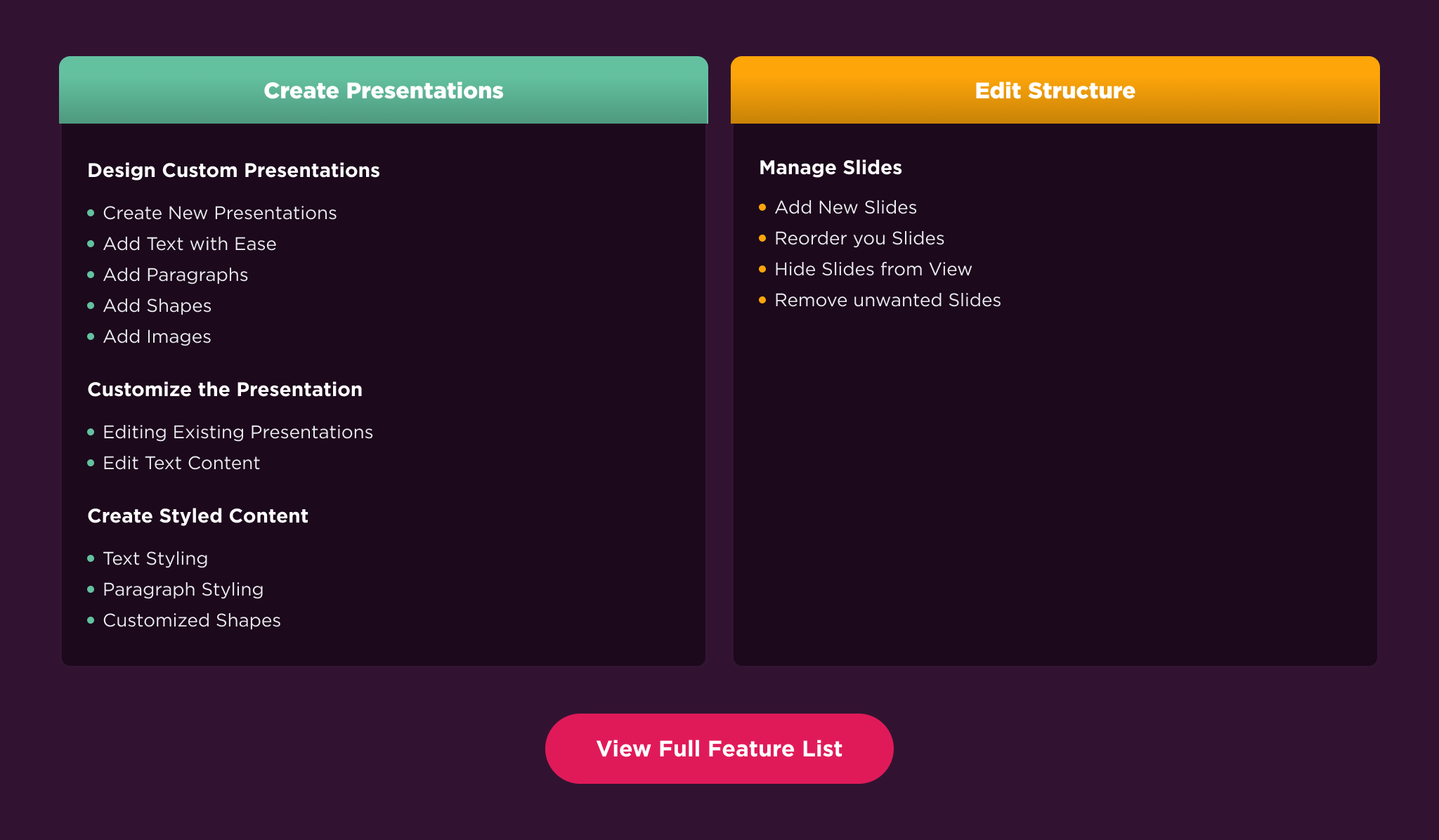
Create Presentations: Build new PowerPoint (PPTX) presentations programmatically.
Edit Presentations: Modify existing presentations with precision by editing/removing/replacing texts, images, and managing slides.
Style Presentations: Customize text, shapes, and images, and control the overall look and feel using master slides
Compatibility
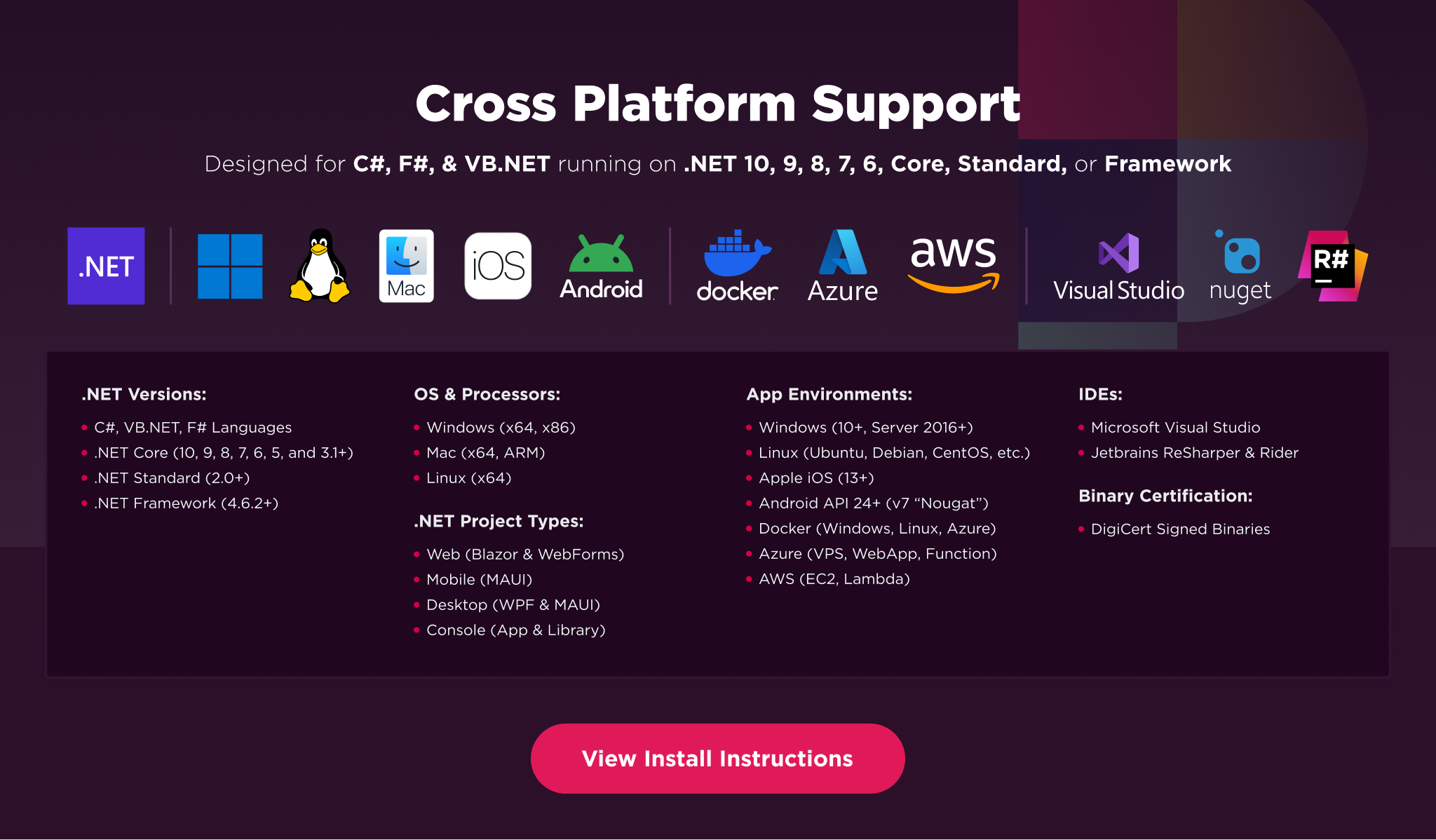
IronPPT is built for modern .NET and supports a wide range of project types and operating systems.
Platforms: .NET 10, .NET 9, .NET 8, .NET 7, .NET 6, .NET 5, Core 2x & 3x, Standard 2
Framework: .NET Framework 4.6.2 (and above)
App Models: Console, Web, and Desktop Apps
Operating Systems: Windows, macOS, Linux (Debian, CentOS, Ubuntu)
Cloud & Containerization Platforms: Azure, AWS, Docker
IDEs: Microsoft Visual Studio or Jetbrains ReSharper & Rider
License
IronPPT is a commercially licensed product.
Trial License: Get a free developer key to evaluate the full library with no commitment. Ideal for development and testing purposes. Start your trial HERE.
Purchase a License: Unlock the library for use in commercial projects and get access to our full technical support. Purchase your license HERE.
Getting Help & Support
Have a question or running into an issue?
Email Support: Reach out to our team directly at [email protected].
Live Chat Support: https://ironsoftware.com/csharp/ppt/#helpscout-support
Report a Bug: https://ironsoftware.com/ticket-submission/
Community: https://ironsoftware.com/company/iron-slack-community/
Changes from Previous Version
Adoption Assessment
Assess this package against its supported frameworks, license, maintenance signals and dependency graph before making it a project standard.
Related Guides & Workflows
Learn how to evaluate, integrate, or audit this package in your .NET project.