Install
| Product | Versions |
|---|---|
| .NET |
README
Iciclecreek.Avalonia.Terminal For Avalonia 12.x
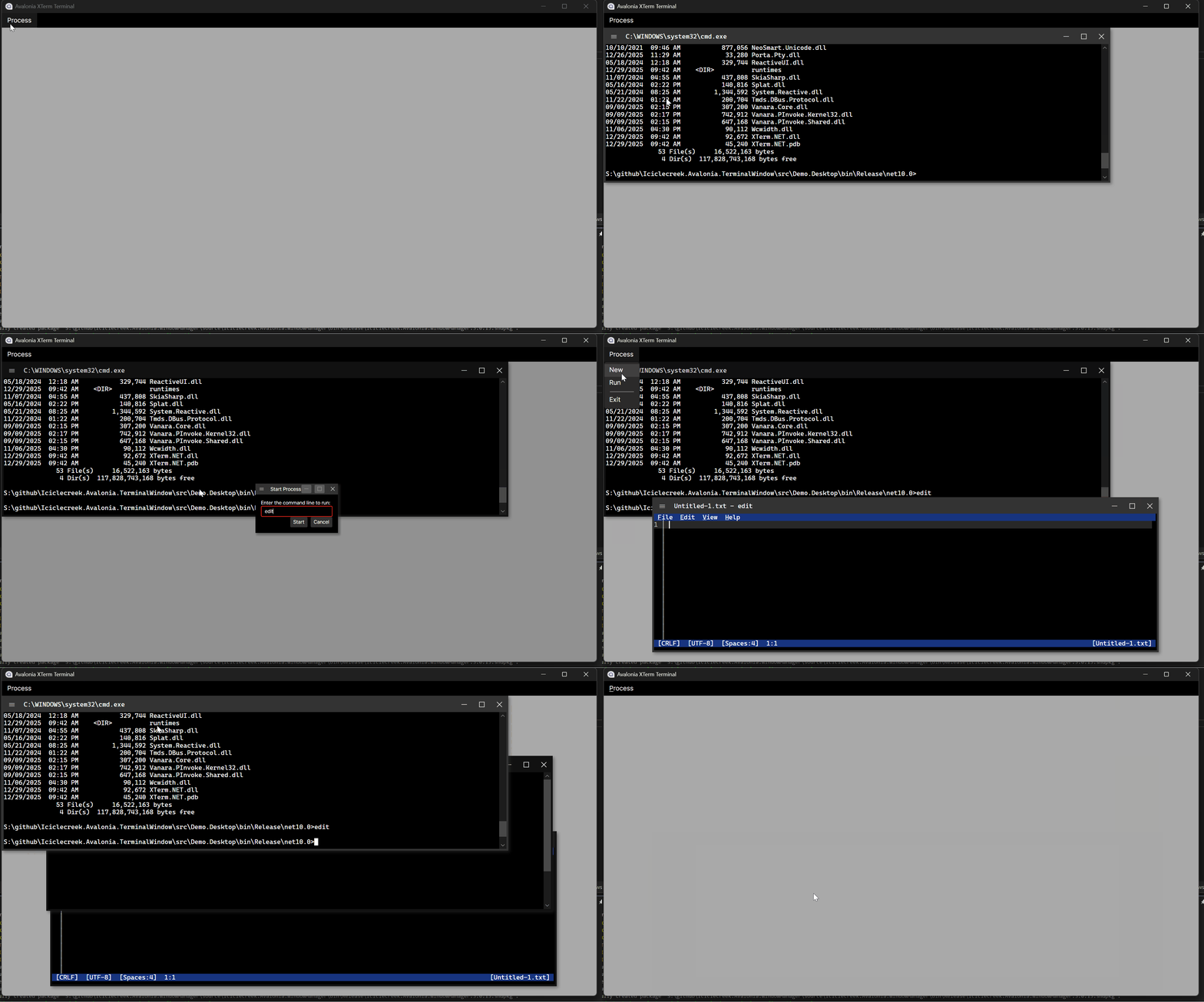
A cross-platform XTerm terminal emulator control for Avalonia UI applications.


Introduction
Iciclecreek.Avalonia.Terminal provides Avalonia controls for embedding a fully-featured terminal emulator in your cross-platform desktop applications. Built on top of XTerm.NET for terminal emulation and Porta.Pty for pseudo-terminal support, it offers:
- Full XTerm-compatible terminal emulation
- Cross-platform support (Windows, Linux, macOS)
- Scrollback buffer with configurable size
- Text selection and clipboard support
- Terminal window manipulation commands (resize, move, minimize, maximize, etc.)
- Dynamic title updates from terminal escape sequences
- Customizable fonts, colors, and styling
Installation
Install via NuGet Package Manager:
dotnet add package Iciclecreek.Avalonia.Terminal
Or via the Package Manager Console in Visual Studio:
Install-Package Iciclecreek.Avalonia.Terminal
Usage
TerminalControl
TerminalControl is a templated control that provides a terminal view with an integrated scrollbar. Use this when you want to embed a terminal within your own window or layout.
XAML:
<Window xmlns="https://github.com/avaloniaui"
        xmlns:x="http://schemas.microsoft.com/winfx/2006/xaml"
        xmlns:terminal="using:Iciclecreek.Terminal"
        x:Class="MyApp.MainWindow">

    <terminal:TerminalControl x:Name="Terminal"
                              FontFamily="Cascadia Mono"
                              FontSize="14"
                              BufferSize="1000"
                              ProcessExited="OnProcessExited"/>
</Window>
Code-behind:
using Avalonia.Controls;
using Iciclecreek.Terminal;

public partial class MainWindow : Window
{
    public MainWindow()
    {
        InitializeComponent();
    }

    private void OnProcessExited(object? sender, ProcessExitedEventArgs e)
    {
        // Handle process exit (e.g., close window)
        Close();
    }
}
Properties:
| Property | Type | Default | Description |
|---|---|---|---|
Process |
string |
cmd.exe (Windows) / sh (Unix) |
The shell or process to launch |
Args |
IList<string> |
Empty | Command-line arguments for the process |
StartingDirectory |
string? |
Current working directory | The initial working directory used when launching the PTY process |
CurrentDirectory |
string? |
Read-only | The current working directory reported by the running terminal session via OSC 7 |
ExitCode |
int |
Read-only | The exit code of the launched process after it has terminated |
Pid |
int |
Read-only | The operating system process identifier of the launched terminal process |
BufferSize |
int |
1000 |
Scrollback buffer size (number of lines) |
FontFamily |
FontFamily |
Inherited | Terminal font family (use monospace fonts) |
FontSize |
double |
Inherited | Terminal font size |
Foreground |
IBrush |
Inherited | Default text color |
Background |
IBrush |
Inherited | Terminal background color |
SelectionBrush |
IBrush |
Semi-transparent blue | Text selection highlight color |
Methods:
| Method | Description |
|---|---|
LaunchProcess() |
Launches the configured Process with the current Args and StartingDirectory |
LaunchProcess(string? startingDirectory, string process, params string[] args) |
Convenience overload that sets StartingDirectory, Process, and Args, then launches the process |
Kill() |
Terminates the running terminal process |
WaitForExit(int ms) |
Waits for the terminal process to exit or for the specified timeout to elapse |
Events:
| Event | Description |
|---|---|
ProcessExited |
Raised when the PTY process exits. The handler receives ProcessExitedEventArgs with the process ExitCode. |
TerminalWindow
TerminalWindow is a complete window implementation that automatically handles terminal events like title changes and window manipulation commands. Use this when you want a standalone terminal window.
XAML:
<terminal:TerminalWindow xmlns="https://github.com/avaloniaui"
                         xmlns:x="http://schemas.microsoft.com/winfx/2006/xaml"
                         xmlns:terminal="using:Iciclecreek.Terminal"
                         x:Class="MyApp.TerminalWindow"
                         Title="Terminal"
                         Width="800"
                         Height="600"
                         FontFamily="Consolas"
                         FontSize="12"
                         Background="Black"
                         Foreground="White"
                         CloseOnProcessExit="True"
                         UpdateTitleFromTerminal="True"
                         HandleWindowCommands="True"/>
Or create programmatically:
using Iciclecreek.Terminal;

var terminalWindow = new TerminalWindow
{
    Title = "My Terminal",
    Width = 800,
    Height = 600,
    FontFamily = new FontFamily("Cascadia Mono"),
    FontSize = 14,
    StartingDirectory = Environment.CurrentDirectory,
    Process = "pwsh.exe",  // PowerShell Core
    Args = new[] { "-NoLogo" },
    CloseOnProcessExit = true
};

terminalWindow.Show();
Methods:
| Method | Description |
|---|---|
LaunchProcess() |
Launches the configured Process with the current Args and StartingDirectory |
LaunchProcess(string? startingDirectory, string process, params string[] args) |
Convenience overload that sets StartingDirectory, Process, and Args, then launches the process |
Kill() |
Terminates the running terminal process |
WaitForExit(int ms) |
Waits for the terminal process to exit or for the specified timeout to elapse |
Additional Properties (beyond TerminalControl):
| Property | Type | Default | Description |
|---|---|---|---|
ExitCode |
int |
Read-only | The exit code of the launched process after it has terminated |
Pid |
int |
Read-only | The operating system process identifier of the launched terminal process |
CloseOnProcessExit |
bool |
true |
Automatically close the window when the process exits |
UpdateTitleFromTerminal |
bool |
true |
Update window title from terminal escape sequences |
HandleWindowCommands |
bool |
true |
Handle window manipulation commands from the terminal |
Events:
| Event | Description |
|---|---|
ProcessExited |
Raised when the PTY process exits. The handler receives ProcessExitedEventArgs with the process ExitCode. If CloseOnProcessExit is true, the event is raised before the window closes. |
Links
- GitHub Repository: https://github.com/tomlm/Iciclecreek.Avalonia.TerminalWindow
- NuGet Package: https://www.nuget.org/packages/Iciclecreek.Avalonia.Terminal
- XTerm.NET: https://github.com/tomlm/XTerm.NET
- Porta.Pty: https://github.com/tomlm/Porta.Pty
- Avalonia UI: https://avaloniaui.net/
License
This project is licensed under the MIT License - see the LICENSE file for details.
Changes from Previous Version
Adoption Assessment
Assess this package against its supported frameworks, license, maintenance signals and dependency graph before making it a project standard.
Related Guides & Workflows
Learn how to evaluate, integrate, or audit this package in your .NET project.