Consolonia
v11.3.4-beta.1699Pre-release
net8.0
This package is meta package for building Console applications using Consolonia.
Published
Oct 10, 2025
1y ago
Total Downloads
47.3K
47,300
Install
dotnet add package Consolonia --version 11.3.4-beta.1699
| Product | Versions |
|---|---|
| .NET |
README

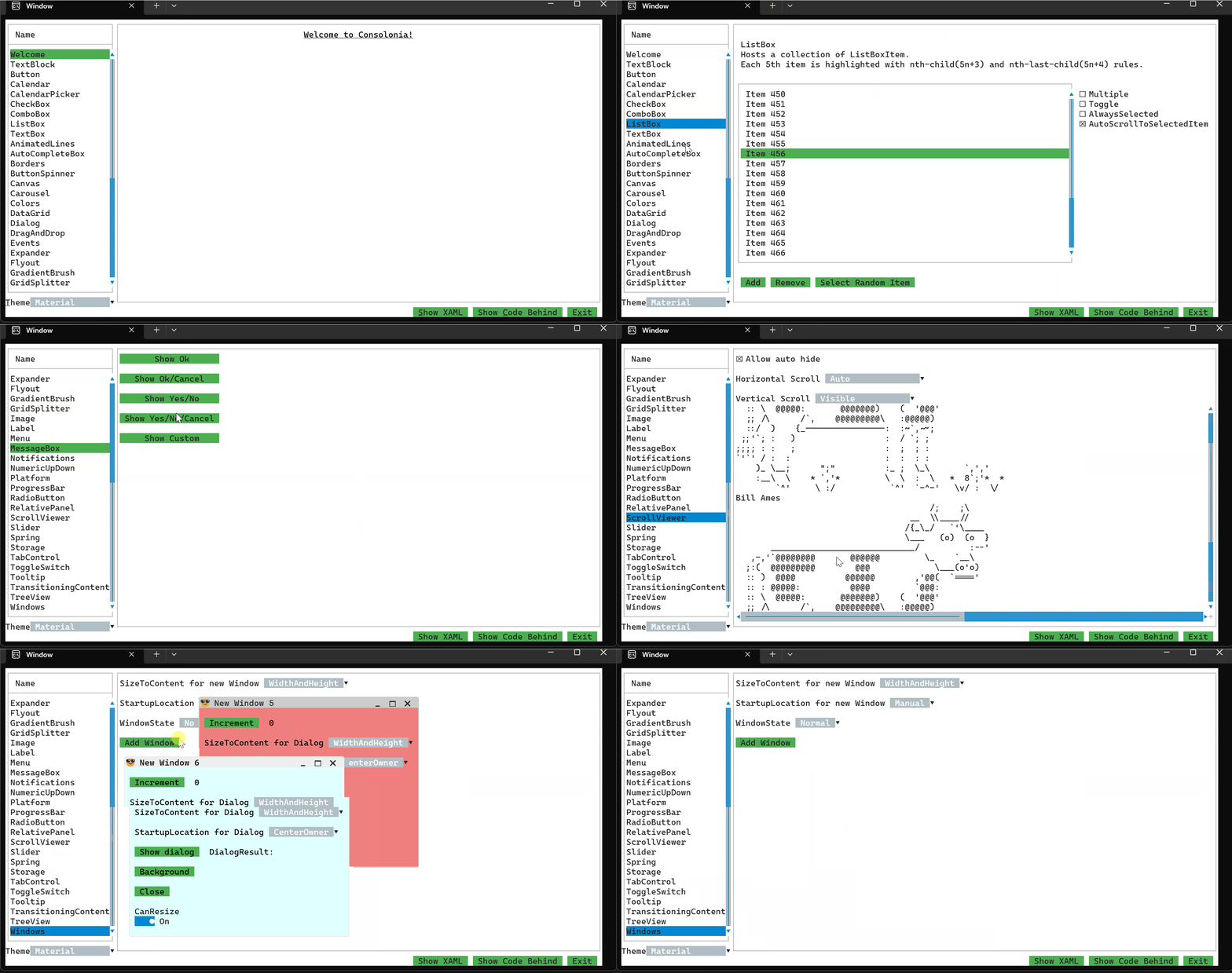
🚀 Modern UI Power, Now in Your Console
This package is a meta package which includes everything you need to build Console applications using Consolonia and Avalonia.
Usage
Define an application with a theme (See Consolonia.Themes.TurboVision for themes)
Define a Window
HelloWorldWindow.axaml
<Window xmlns="https://github.com/avaloniaui"
        xmlns:x="http://schemas.microsoft.com/winfx/2006/xaml"
        x:Class="HelloWorldWindow">
    <TextBlock Text="Hello World" />
</Window>

## Define an application
You need to define an application that defines a theme and sets the main window.

HelloWorldApp.cs
```csharp
// use HelloWorldWindow as the MainWindow for the application
public class HelloWorldApp : ConsoloniaApplication
{
    public override void Initialize()
    {
        // set the theme
        Styles.Add(new FluentTheme());
    }
}
Setup program.cs
Program.cs
[STAThread]
private static void Main(string[] args)
{
    BuildAvaloniaApp()
        .StartWithConsoleLifetime(args);
}

public static AppBuilder BuildAvaloniaApp()
    => AppBuilder.Configure()
        .UseConsolonia()
        .UseAutoDetectedConsole()
        .LogToException();
Changes from Previous Version
No structural changes between v11.3.4-beta.1685 and v11.3.4-beta.1699.
Adoption Assessment
Assess this package against its supported frameworks, license, maintenance signals and dependency graph before making it a project standard.
This version is marked prerelease. Validate its API and upgrade path before production use.Compatibility metadata lists 1 target framework; confirm the exact target used by your application.
Related Guides & Workflows
Learn how to evaluate, integrate, or audit this package in your .NET project.