Consolonia.Blazor
v11.3.4-beta.1499Pre-release
net8.0
This package provides the ability to use Blazor .razor files to create console apps using Consolonia.
Published
Sep 12, 2025
1y ago
Total Downloads
23.3K
23,298
Install
dotnet add package Consolonia.Blazor --version 11.3.4-beta.1499
| Product | Versions |
|---|---|
| .NET |
README

Consolonia.Blazor
This package provides the ability to use Blazor .razor files to create console apps using Consolonia.
- Use ⚡ Blazor syntax for Avalonia apps
- 😎 Simpler syntax than XAML
- 🪄 IntelliSense support
- Get free 🔥 Hot Reload support on-top
- See https://github.com/Epictek/Avalonia-Blazor-Bindings
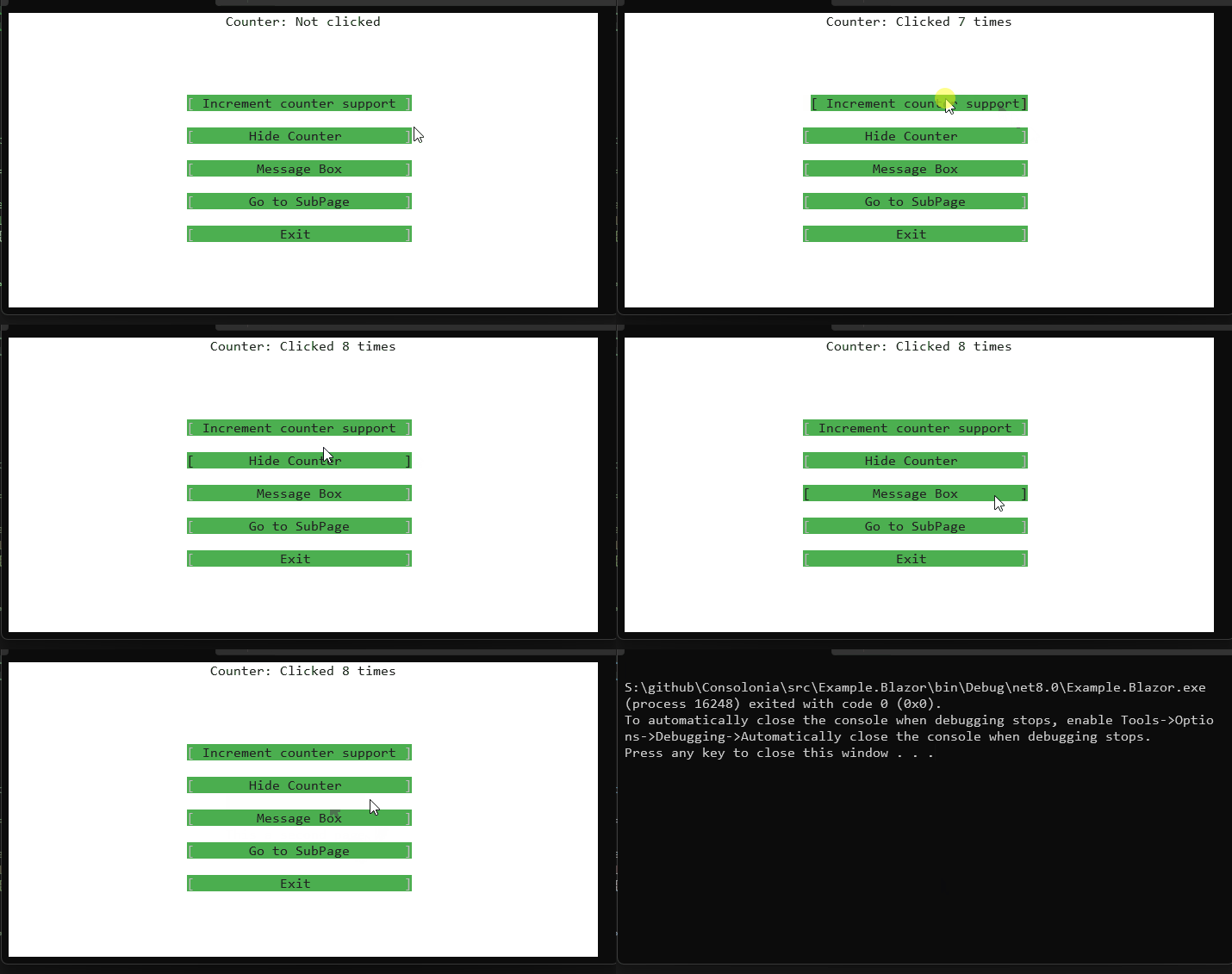
Example Razor file
Things to note:
- Method binding to code behind
- Conditional layout of elements
- Full intellisense for renaming going to code behind autocomplete etc.
- injection of INavigation so you can push and pop views off of the nav stack
- injection of IClassicDesktopStyleApplicationLifetime so you can access Args and shutdown the app.
- HOT RELOAD. simple save the file and your view gets rebuilt and rerendered!
@page "/"
@inject INavigation navigation
@inject IClassicDesktopStyleApplicationLifetime lifetime

@namespace Example.Blazor.Components

<Window Title="Blazor Bindings for Consolonia" Topmost="true">
     <StackPanel Orientation="Orientation.Vertical" VerticalAlignment="VerticalAlignment.Center">
        @if (showCounter)
        {
            <TextBlock HorizontalAlignment="HorizontalAlignment.Center">Counter: @CounterText</TextBlock>
        }
        <StackPanel Orientation="Orientation.Vertical" HorizontalAlignment="HorizontalAlignment.Center" Margin="@Thickness.Parse("4")">
            <Button OnClick="@OnIncrement">Increment counter support</Button>
            <Button OnClick="@OnToggleCounter">@ToggleText</Button>
            <Button OnClick="@OnMessageBox">Message Box</Button>
            <Button OnClick="@OnGotoSubPage">Go to SubPage</Button>
            <Button OnClick="@OnExit">Exit</Button>
        </StackPanel>
    </StackPanel>
</Window>

@code {
    int counter = 0;
    bool showCounter = true;

    string CounterText => counter switch
    {
        0 => "Not clicked",
        1 => $"Clicked 1 time",
        _ => $"Clicked {counter} times"
    };

    string ToggleText => showCounter ? "Hide Counter" : "Show Counter";

    void OnIncrement()
        => counter++;

    void OnToggleCounter()
        => showCounter = !showCounter;

    void OnGotoSubPage()
        => navigation.PushAsync<SubPage>();

    async void OnMessageBox(RoutedEventArgs args)
    {
        await new MessageBox()
            .ShowDialogAsync((AC.Control)args.Source!, "Hello, Blazor!", "Blazor Bindings for Consolonia");
    }

    void OnExit()
       => lifetime.Shutdown();
}
Changes from Previous Version
No structural changes between v11.3.4-beta.1483 and v11.3.4-beta.1499.
Adoption Assessment
Assess this package against its supported frameworks, license, maintenance signals and dependency graph before making it a project standard.
This version is marked prerelease. Validate its API and upgrade path before production use.Compatibility metadata lists 1 target framework; confirm the exact target used by your application.
Related Guides & Workflows
Learn how to evaluate, integrate, or audit this package in your .NET project.