Maps for WPF displays geographical data on a map. You can view images with smooth zooming, panning, and mapping between screen and geographical coordinates.
Install
No framework information available.
README
About
The ComponentOne WPF Maps control provides smooth zooming, panning, and mapping between screen and geographical coordinates. Display online maps from Bing Maps, add markers and vector shapes to the map, and work with offline maps using KML files.
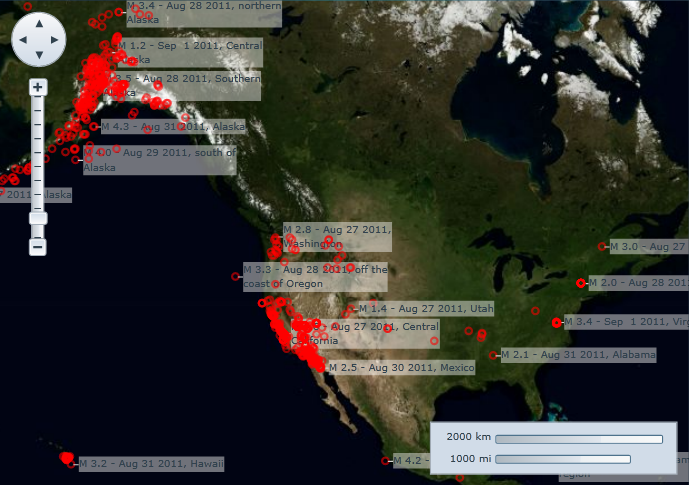
Key Features:
- Three built-in sources for Microsoft Bing Maps: aerial, road and hybrid
- Supports custom map sources such as OpenStreetMaps
- Supports data binding and virtualization (asynchronous loading) of local and server data
- Supports a vector layer that makes it easy to draw geometries, shapes, polygons, and paths with geographical coordinates on top of a map
- Create choropleth maps using the vector layer or import KML/KMZ files
- Works offline with custom map source or KML-based map tiles
- Built-in zoom and pan UI controls
A separate license key for Bing Maps may be required.
Learn more about C1Maps at www.grapecity.com/componentone/wpf-ui-controls/custom-map-controls-wpf.
Resources
Changes from Previous Version
Adoption Assessment
Assess this package against its supported frameworks, license, maintenance signals and dependency graph before making it a project standard.
Related Guides & Workflows
Learn how to evaluate, integrate, or audit this package in your .NET project.