.NETCoreApp0.0.NETFramework4.8
ComponentOne FlexPivot for WinForms provides pivot table and chart controls allowing you to create dynamic views and aggregate millions of rows of data in milliseconds.
Published
Mar 24, 2023
3y ago
Total Downloads
43.5K
43,475
Install
dotnet add package C1.Win.FlexPivot --version 4.8.20231.596
| Product | Versions |
|---|---|
| Other |
README
About
ComponentOne FlexPivot for WinForms provides pivot table and chart controls allowing you to create dynamic views and aggregate millions of rows of data in milliseconds.
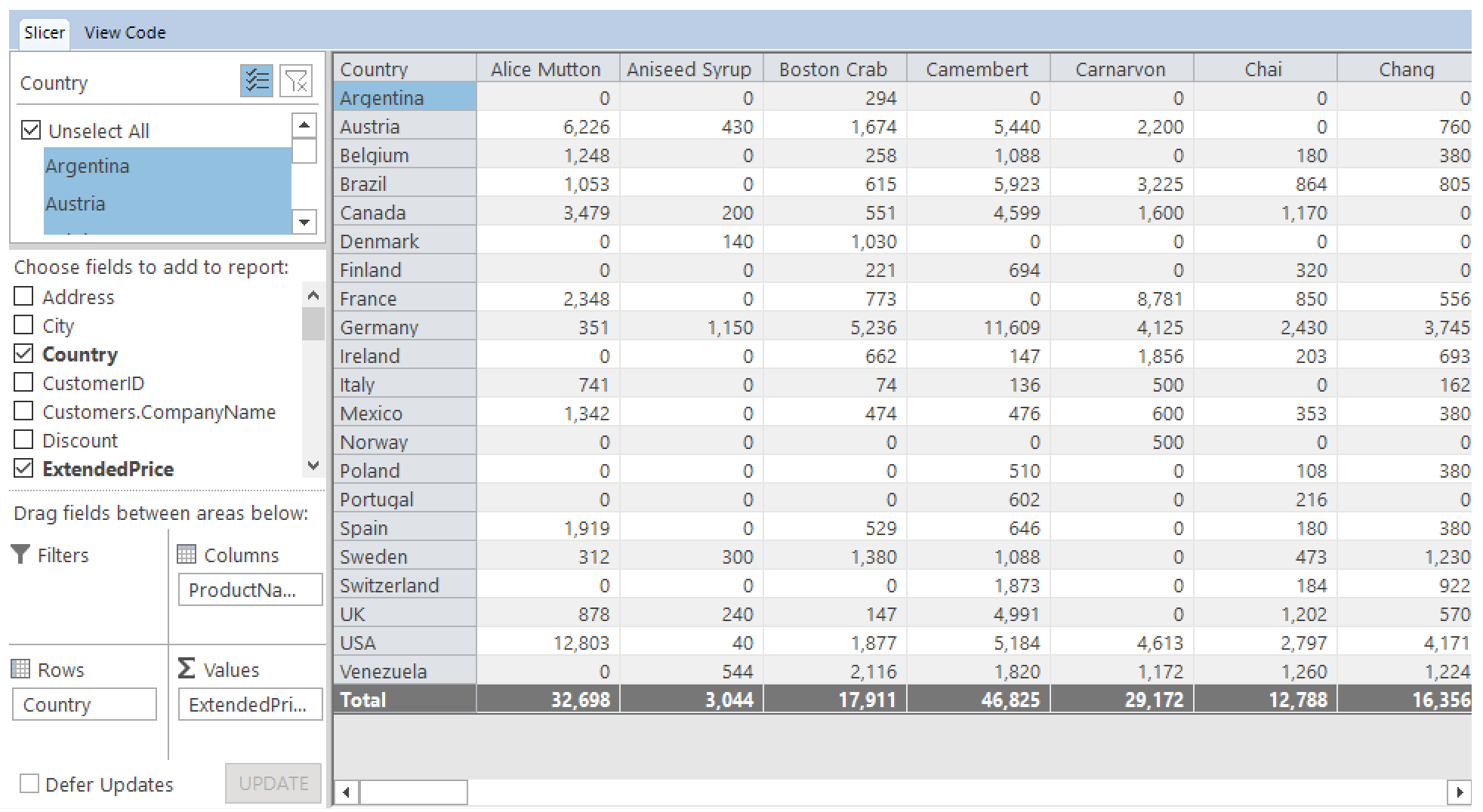
Key Features:
- Support multiple fields in the Values list.
- A new, powerful data engine that stores data in memory-mapped files using column-oriented technology.
- Comes with an enhanced, Excel-like user interface (UI) offering modern color schemes in toolbar, drop-down menus, tables and charts.
- Allow developers choosing a theme that suits their application requirements.
- Provides the FlexPivotGrid control to display data in a grid-like view.
- Use the FlexPivotPanel to determine which fields of your data source should be used to display data and how.
- Comes with C1 control support (such as check boxes, tabs and toolstrip) instead of standard Microsoft controls.
- Supports query operations including aggregation, joins, filters, ranges, sorting, grouping, unary and binary operations, calculated fields, projections, etc.
- Can be used to visualize the Status, Trend and Goal measures of KPI contained in an OLAP cube.
- Can be used to filter top N and bottom N elements in a grid or chart. Refer this topic to explore more about Top N Filtering.
Learn more at www.grapecity.com/controls/winforms/flexpivot.
Resources
Changes from Previous Version
No structural changes between v4.8.20223.588 and v4.8.20231.596.
Adoption Assessment
Assess this package against its supported frameworks, license, maintenance signals and dependency graph before making it a project standard.
No SPDX license expression is published. Review the license text and your organisation's policy before redistribution.Compatibility metadata lists 2 target frameworks; confirm the exact target used by your application.The published metadata declares 14 direct dependency entries across framework groups. Inspect the resolved dependency graph for your target framework.
Related Guides & Workflows
Learn how to evaluate, integrate, or audit this package in your .NET project.