Any Framework
ComponentOne FlexChart for WinForms is a powerful chart control with support for 80+ chart types, flexible data binding, GDI+ and DirectX rendering in .NET.
Published
Jan 7, 2022
4y ago
Total Downloads
191.9K
191,863
Install
dotnet add package C1.Win.FlexChart --version 4.5.20213.537
No framework information available.
README
About
ComponentOne FlexChart for WinForms is a powerful chart control with support for 80+ chart types, flexible data binding, GDI+ and DirectX rendering in .NET.
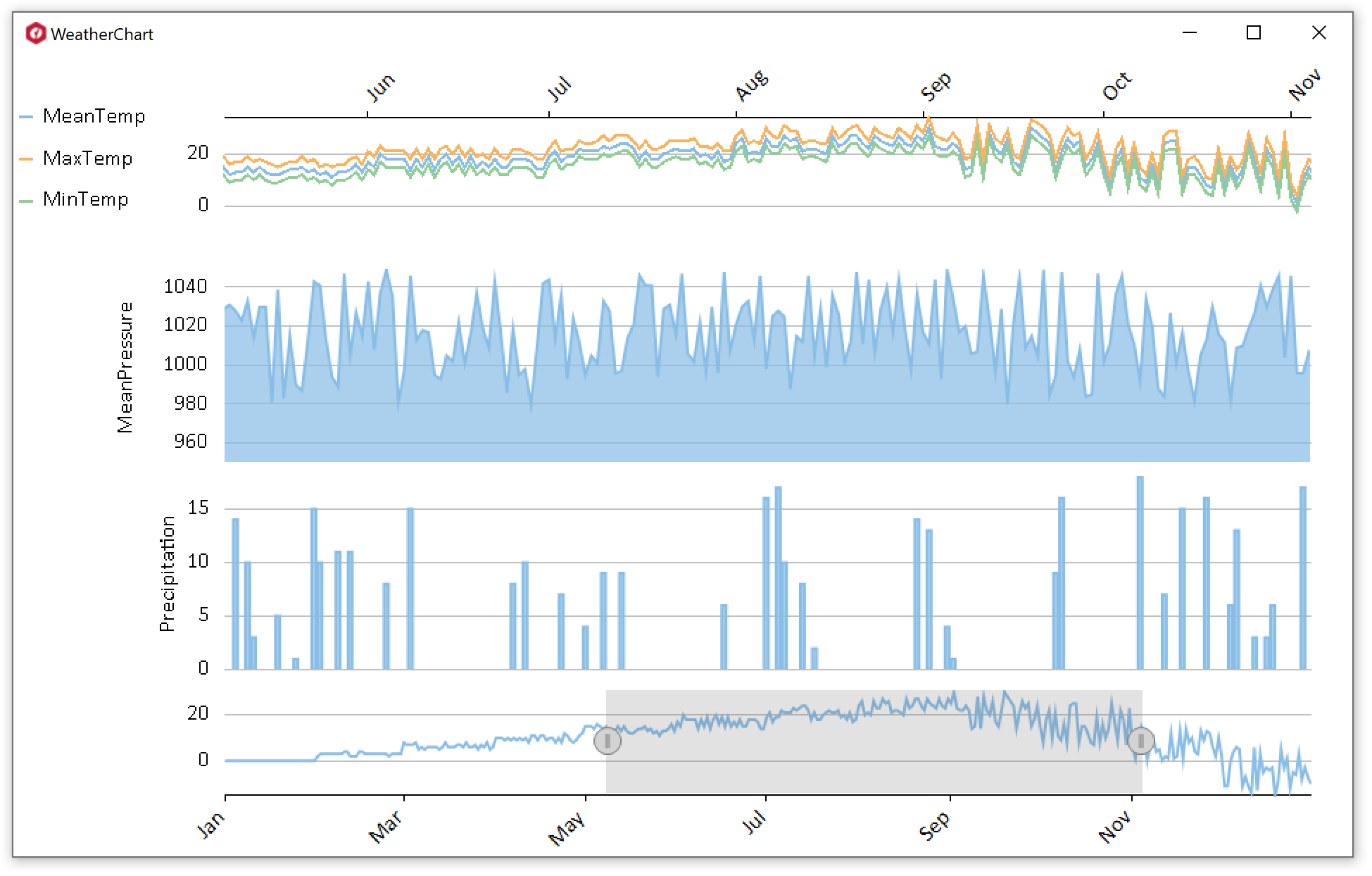
Key Features:
- 80+ chart types, FlexChart provides a wide range of charts to choose from.
- Render high quality charts with FlexChart as it provides support for DirectX and GDI+ rendering engine.
- Options to bind at the axis level, series level as well as chart level, to static arrays and dynamic lists, with single data source or multiple.
- A simple and easy-to-use but powerful and efficient API.
- Support edit various chart aspects such as appearance, binding, axes, legend, data labels etc. at run-time using the built-in FlexChart Designer.
- Many interactivity features such as selection, drilldown, scrolling, zooming, line markers, range selector and animation which enhance the overall user experience.
- 16 pre-defined color palettes to choose from and an option to design custom palettes.
- Support save an existing chart as an XML file or image; load chart from the same to generate a new chart.
- Built-in intelligence to automatically adjust the elements such as axis labels, data labels, legends, etc.
- Rich feature set.
Learn more at www.grapecity.com/componentone/winforms/flexchart-winforms-chart-controls.
Resources
Changes from Previous Version
No structural changes between v4.5.20213.532 and v4.5.20213.537.
Adoption Assessment
Assess this package against its supported frameworks, license, maintenance signals and dependency graph before making it a project standard.
No SPDX license expression is published. Review the license text and your organisation's policy before redistribution.No target framework metadata is available. Confirm compatibility in a representative project before standardising on this package.
Related Guides & Workflows
Learn how to evaluate, integrate, or audit this package in your .NET project.