ComponentOne Controls for ASP.NET Core MVC Edition
Install
No framework information available.
README
About
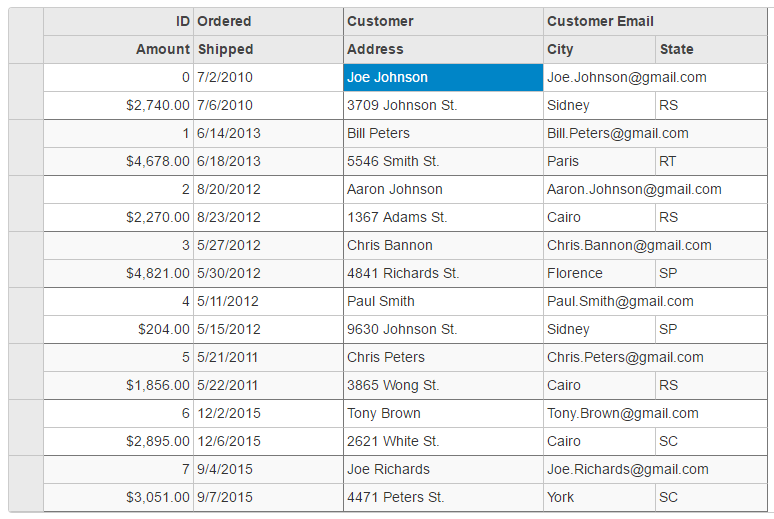
The MultiRow control provides a powerful and flexible way of using multiple rows to represent each data item in tabular format. MultiRow control allows the users to view and edit data in a tabular form, just like any other conventional grids. But, MultiRow is different from these grids in a way that it allows you to bind each data item to multiple rows, creating form-like interfaces that can display a large number of columns with minimal horizontal scrolling.
To work with MultiRow control, you need to create an instance of MultiRow class, which is a part of C1.Web.Mvc.MultiRow namespace. MultiRow class extends from the FlexGrid class. Users already working with FlexGrid control, it will be easier for them to understand and implement MultiRow control. For more information, see QuickStart: Add Data to MultiRow.
 {: width="600px"}
Resources
Changes from Previous Version
Adoption Assessment
Assess this package against its supported frameworks, license, maintenance signals and dependency graph before making it a project standard.
Related Guides & Workflows
Learn how to evaluate, integrate, or audit this package in your .NET project.