net5.0
ComponentOne Ribbon™ for WPF provides Microsoft Ribbon-like toolbars, buttons, and toolstrips so you can create professional-looking apps that wow your users.
Published
Dec 3, 2021
4y ago
Total Downloads
30.6K
30,615
Install
dotnet add package C1.WPF.Ribbon --version 5.0.20213.155
| Product | Versions |
|---|---|
| .NET |
README
About
The ComponentOne WPF Ribbon library provides simplified ribbon UI and toolstrip components. Complete your desktop apps with a fluent ribbon-style toolbar based on UI concepts from Microsoft Office 365.
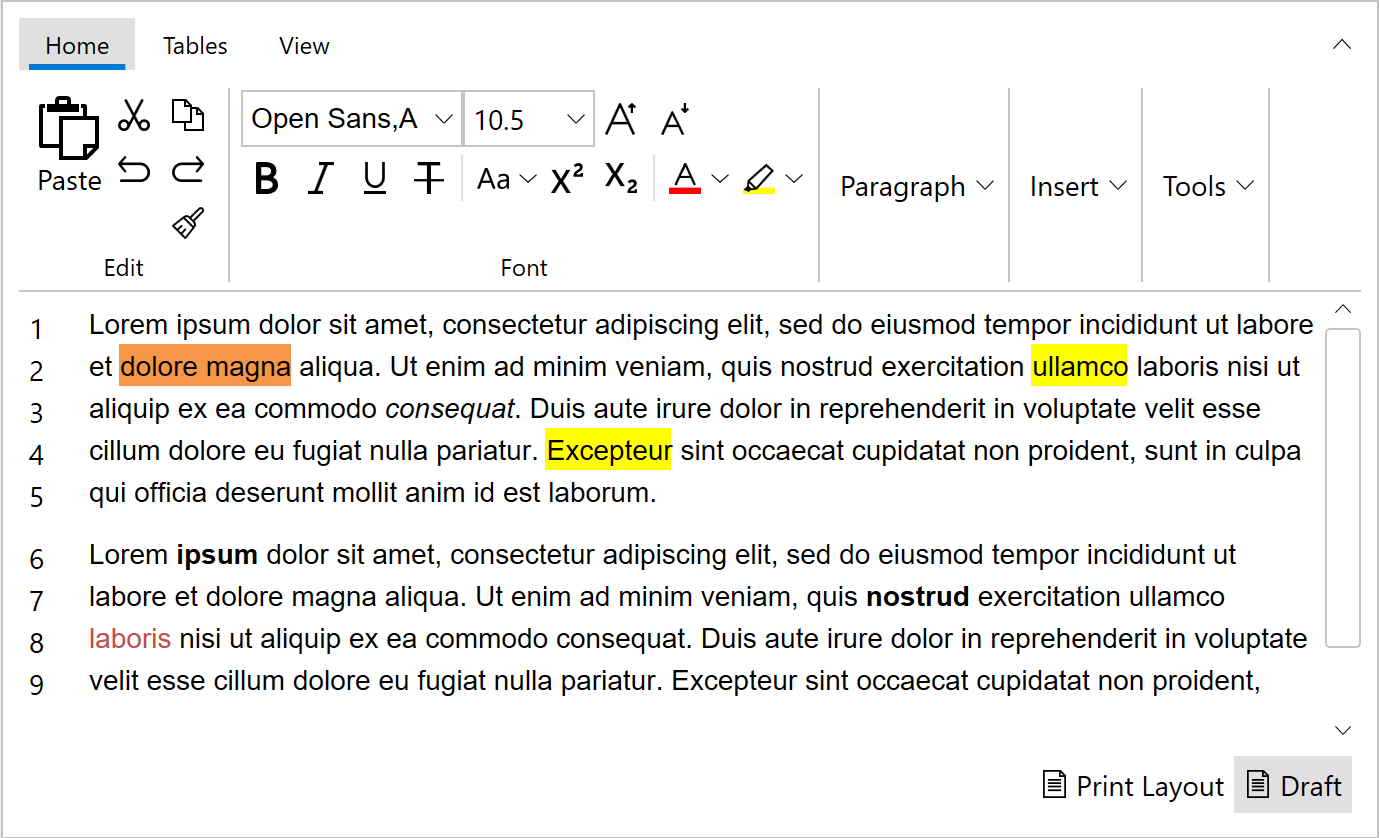
Key Features:
- Build and customize your ribbon using built-in button controls
- Simplified view when the ribbon is collapsed
- Responsive overflow support when the ribbon is resized
- ToolStrip component to create simple toolbars
- Office 365 style with active tab indicators
Learn more at www.grapecity.com/componentone/wpf-ui-controls/simplified-ribbon-ui-control-wpf.
Resources
Changes from Previous Version
v5.0.20212.112v5.0.20213.155
Added Frameworks
net5.0
Added Dependencies
C1.WPF.DataCollection(net5.0)
C1.WPF.Core(net5.0)
C1.WPF.Input(net5.0)
C1.WPF.Menu(net5.0)
C1.WPF.TabControl(net5.0)
Removed Dependencies
Adoption Assessment
Assess this package against its supported frameworks, license, maintenance signals and dependency graph before making it a project standard.
No SPDX license expression is published. Review the license text and your organisation's policy before redistribution.Compatibility metadata lists 1 target framework; confirm the exact target used by your application.
Related Guides & Workflows
Learn how to evaluate, integrate, or audit this package in your .NET project.