net6.0-windows7.0
ComponentOne FlexPivot for WPF.
Published
Nov 10, 2023
2y ago
Total Downloads
21.2K
21,158
Install
dotnet add package C1.WPF.Pivot --version 7.0.20233.662
| Product | Versions |
|---|---|
| .NET |
README
About
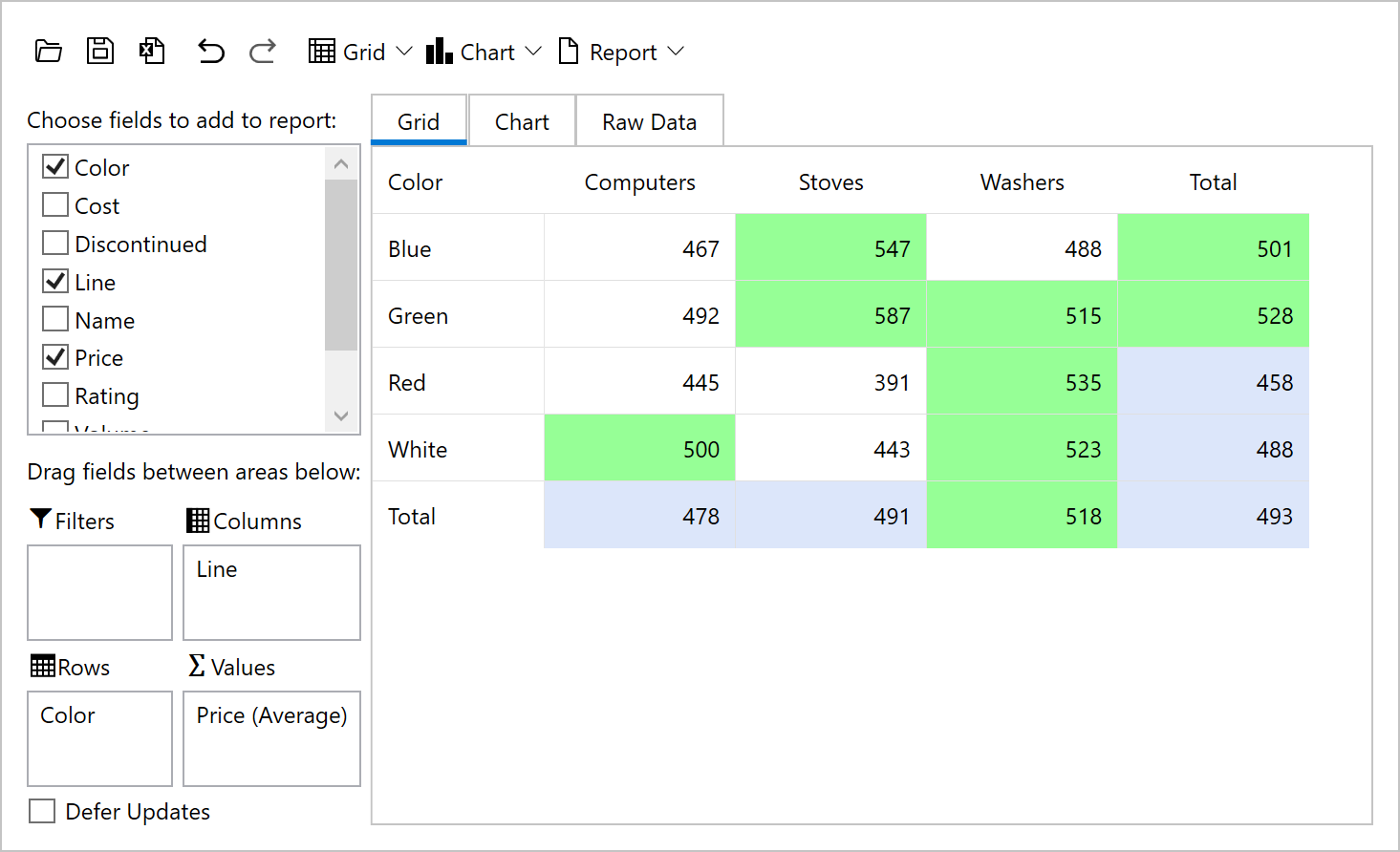
The ComponentOne WPF FlexPivot control uses pivot grids and charts to deliver in-depth business intelligence (BI) functionality. Aggregate millions of rows of data in your WPF apps to create dynamic pivot tables like Microsoft Excel.
Key Features:
- Includes pivot tables, charts and a pivot panel UI that allows users to create dynamic views
- Dynamically create summarized views by dragging fields into the row, column, and value lists
- Pull multiple data sources into a single, multi-dimensional pivot table from online or local OLAP cubes
- Built on a super-charged data engine, FlexPivot can process millions of records in milliseconds
- The WPF pivotgrid automatically calculates subtotals grand totals for each slice of your data
- End-users can create conditional formatting rules to highlight values
- End-users can filter, slice and aggregate the data set dynamically with no coding required
- Convey the pivot table view in a chart to discover new insights and trends
- View the underlying (raw) data for any aggregated cell in the pivot table by double-clicking
- The pivot table information can be exported to CSV, HTML, text or directly printed from the toolbar
- Get the same pivot UI across multiple desktop and web platforms: WinForms, WPF, ASP.NET MVC and JavaScript
Learn more at developer.mescius.com/componentone/wpf-ui-controls/flexpivot-pivot-grid-olap-wpf.
Resources
Changes from Previous Version
No structural changes between v6.0.20232.624 and v7.0.20233.662.
Adoption Assessment
Assess this package against its supported frameworks, license, maintenance signals and dependency graph before making it a project standard.
No SPDX license expression is published. Review the license text and your organisation's policy before redistribution.Compatibility metadata lists 1 target framework; confirm the exact target used by your application.The published metadata declares 14 direct dependency entries across framework groups. Inspect the resolved dependency graph for your target framework.
Related Guides & Workflows
Learn how to evaluate, integrate, or audit this package in your .NET project.