Published
Nov 5, 2021
5y ago
Total Downloads
21.2K
21,158
Install
dotnet add package C1.WPF.Pivot --version 6.0.20213.140-beta
| Product | Versions |
|---|---|
| .NET |
README
About
The ComponentOne WPF FlexPivot control uses pivot grids and charts to deliver in-depth business intelligence (BI) functionality. Aggregate millions of rows of data in your WPF apps to create dynamic pivot tables like Microsoft Excel.
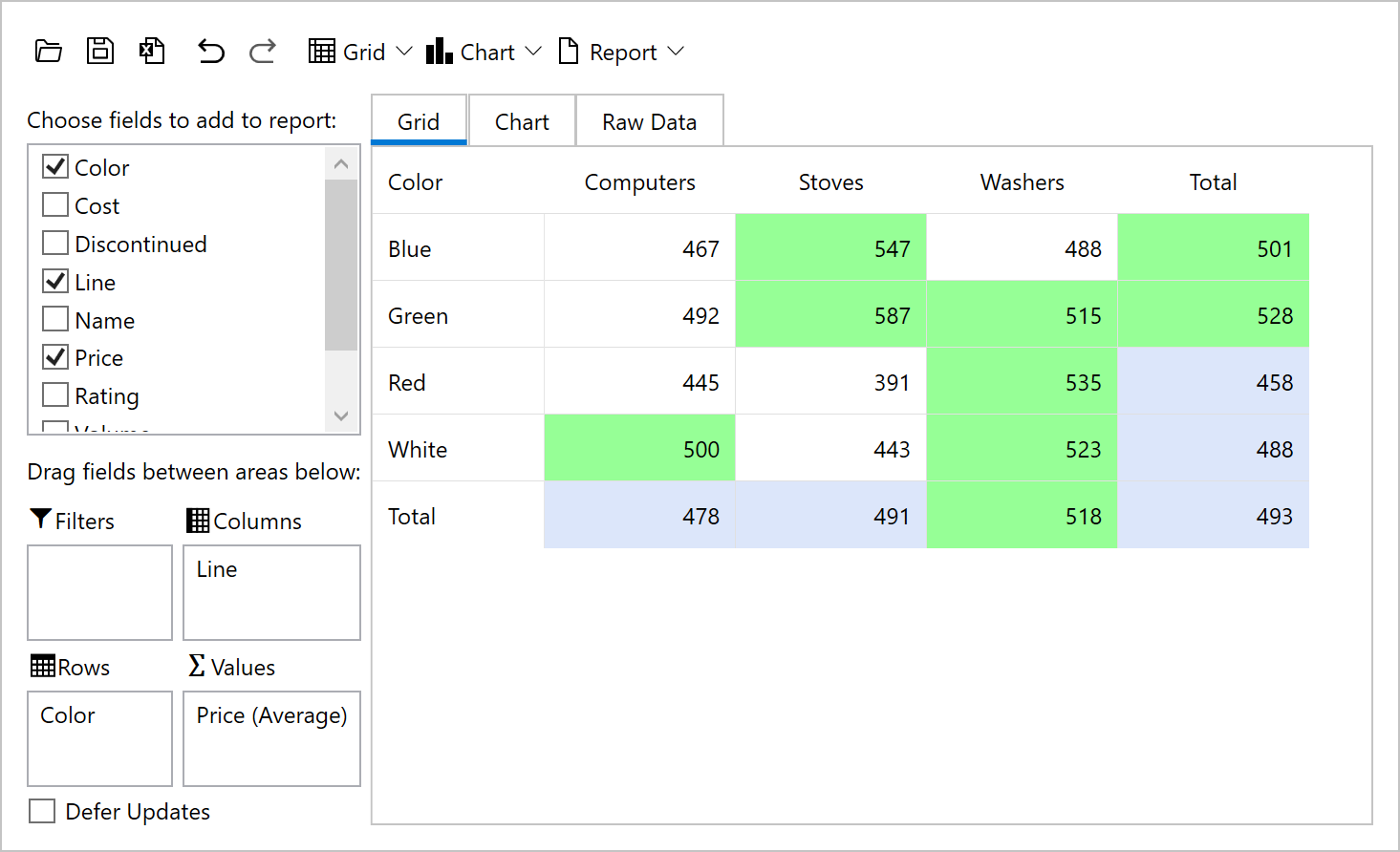
Key Features:
- Includes pivot tables, charts and a pivot panel UI that allows users to create dynamic views
- Dynamically create summarized views by dragging fields into the row, column, and value lists
- Pull multiple data sources into a single, multi-dimensional pivot table from online or local OLAP cubes
- Built on a super-charged data engine, FlexPivot can process millions of records in milliseconds
- The WPF pivotgrid automatically calculates subtotals grand totals for each slice of your data
- End-users can create conditional formatting rules to highlight values
- End-users can filter, slice and aggregate the data set dynamically with no coding required
- Convey the pivot table view in a chart to discover new insights and trends
- View the underlying (raw) data for any aggregated cell in the pivot table by double-clicking
- The pivot table information can be exported to CSV, HTML, text or directly printed from the toolbar
- Get the same pivot UI across multiple desktop and web platforms: WinForms, WPF, ASP.NET MVC and JavaScript
Learn more at www.grapecity.com/componentone/wpf-ui-controls/flexpivot-pivot-grid-olap-wpf.
Resources
Changes from Previous Version
v5.0.20221.207v6.0.20213.140-beta
Added Frameworks
net6.0
Removed Frameworks
net5.0
Added Dependencies
C1.DataEngine(net6.0)
C1.DataEngine.Api(net6.0)
C1.PivotEngine(net6.0)
C1.WPF.Chart(net6.0)
C1.WPF.ColorPicker(net6.0)
C1.WPF.Core(net6.0)
C1.WPF.Docking(net6.0)
C1.WPF.DX(net6.0)
C1.WPF.Grid(net6.0)
C1.WPF.Input(net6.0)
C1.WPF.Menu(net6.0)
C1.WPF.Ribbon(net6.0)
C1.WPF.TabControl(net6.0)
C1.WPF.TreeView(net6.0)
Removed Dependencies
C1.DataEngine(net5.0)
C1.DataEngine.Api(net5.0)
C1.PivotEngine(net5.0)
C1.WPF.Chart(net5.0)
C1.WPF.ColorPicker(net5.0)
C1.WPF.Core(net5.0)
C1.WPF.Docking(net5.0)
C1.WPF.DX(net5.0)
C1.WPF.Grid(net5.0)
C1.WPF.Input(net5.0)
C1.WPF.Menu(net5.0)
C1.WPF.Ribbon(net5.0)
C1.WPF.TabControl(net5.0)
C1.WPF.TreeView(net5.0)
Adoption Assessment
Assess this package against its supported frameworks, license, maintenance signals and dependency graph before making it a project standard.
This version is marked prerelease. Validate its API and upgrade path before production use.No SPDX license expression is published. Review the license text and your organisation's policy before redistribution.Compatibility metadata lists 1 target framework; confirm the exact target used by your application.The published metadata declares 14 direct dependency entries across framework groups. Inspect the resolved dependency graph for your target framework.
Related Guides & Workflows
Learn how to evaluate, integrate, or audit this package in your .NET project.