net6.0-windows7.0
The DateTimePicker control provides a single, intuitive UI for selecting date and time values. The TimeEditor control provides a simple masked editor for time values only. You can edit your date and time values by using the spin buttons, using the keyboard arrows, or by typing in fields.
Published
May 16, 2025
1y ago
Total Downloads
49.6K
49,622
Install
dotnet add package C1.WPF.DateTimeEditors --version 9.0.20251.1069
| Product | Versions |
|---|---|
| .NET |
README
About
The ComponentOne WPF DateTimeEditors includes several essential input controls for date and time information.
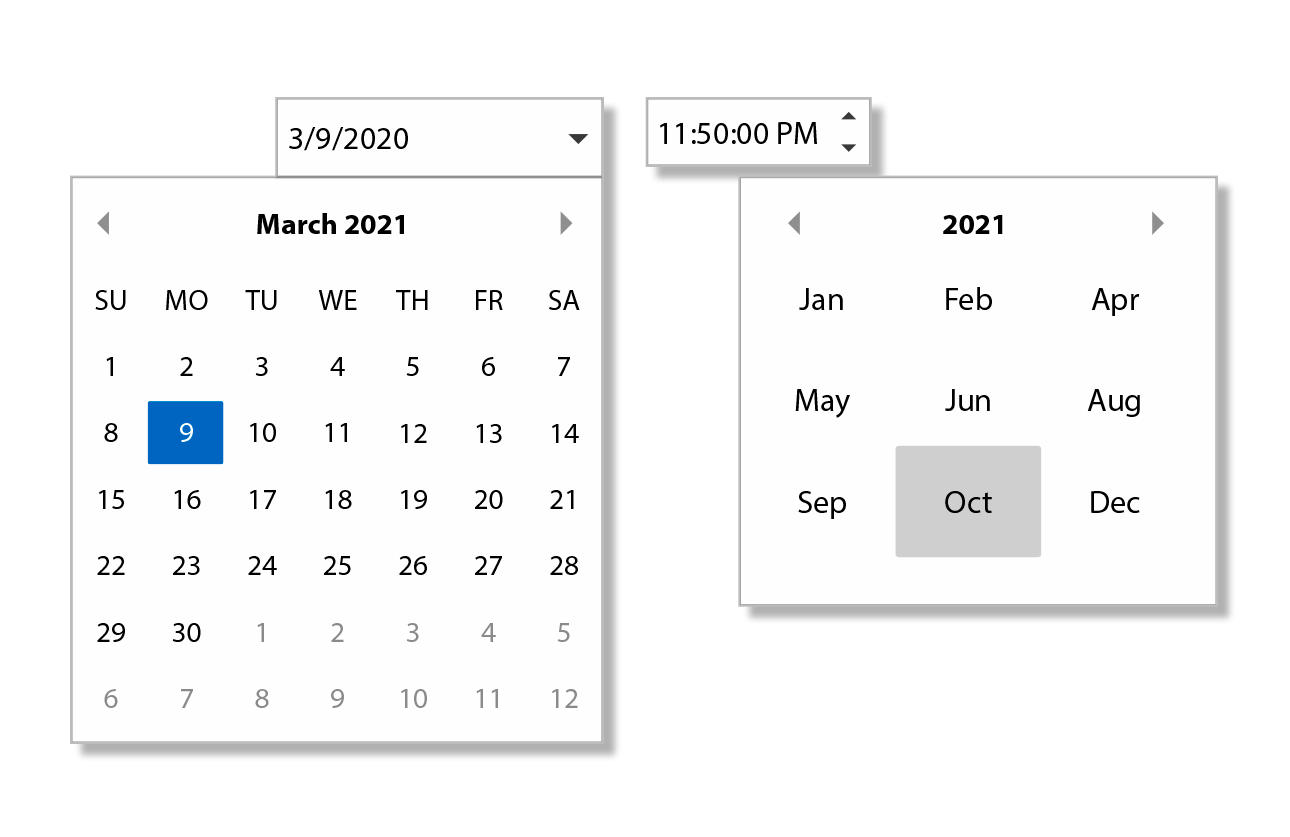
Key Features:
- Select dates from a drop-down calendar with C1DatePicker
- C1DatePicker supports month, year, and decade views for quick navigation
- Select dates and times from a wide range of supported date and time formats and cultures using C1DatePicker and C1TimeEditor
- Get both date and time editing in one control with C1DateTimePicker
Learn more at developer.mescius.com/componentone/wpf-ui-controls/date-time-editor-control-wpf.
Resources
Changes from Previous Version
No structural changes between v8.0.20242.1051 and v9.0.20251.1069.
Adoption Assessment
Assess this package against its supported frameworks, license, maintenance signals and dependency graph before making it a project standard.
No SPDX license expression is published. Review the license text and your organisation's policy before redistribution.Compatibility metadata lists 1 target framework; confirm the exact target used by your application.
Related Guides & Workflows
Learn how to evaluate, integrate, or audit this package in your .NET project.